
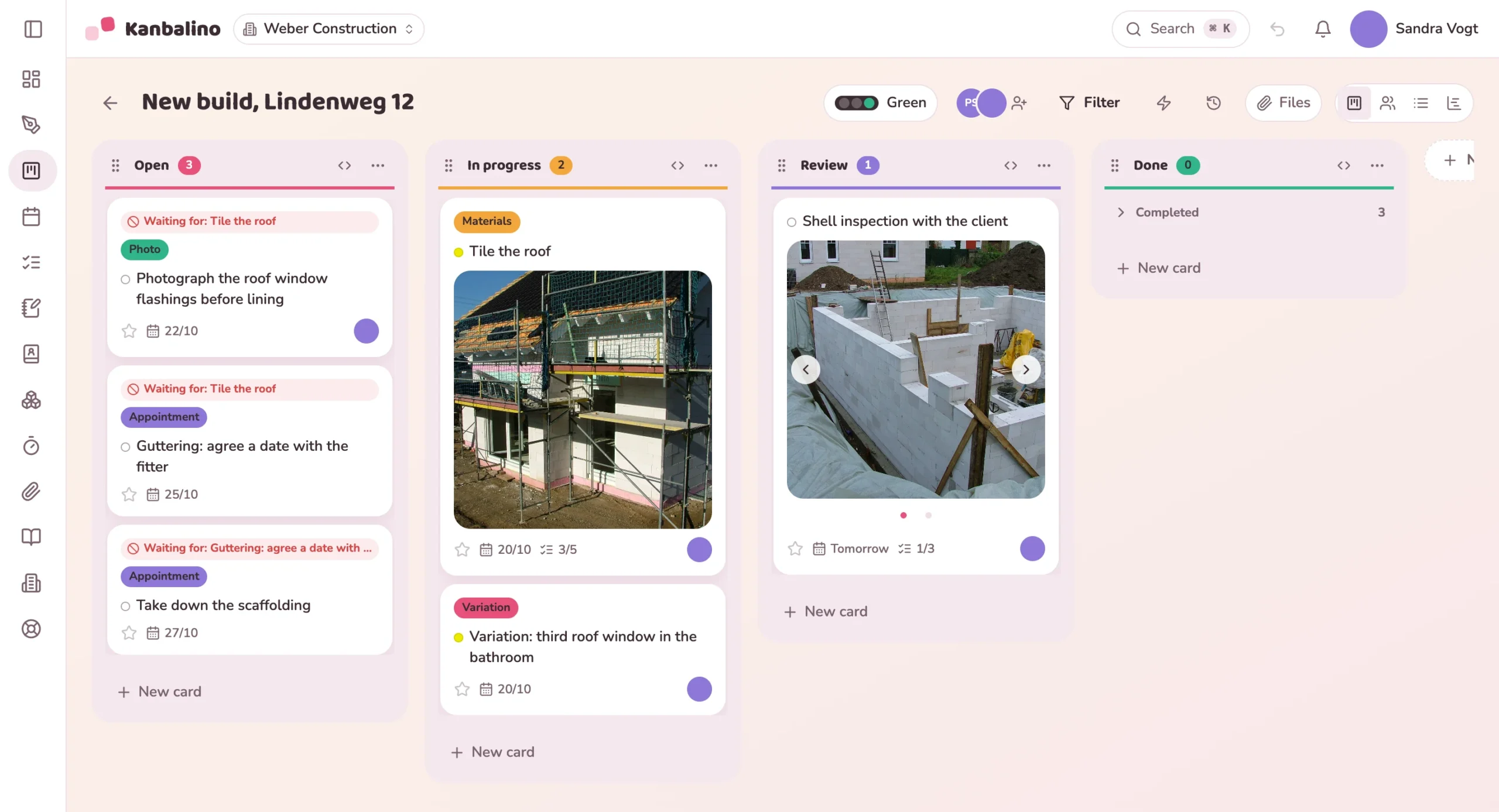
For building, roofing, renovation, heating and electrical work: every site is a board. Clients see the progress for themselves and approve extra work in writing.
coordinate via messaging apps such as WhatsApp or Telegram.
see that customers want them to be reachable at all times.
find that customers have become more critical.
trade businesses were surveyed for this.
Source: Bitkom (Germany’s digital industry association), Digitalisierung des Handwerks 2025 (Digitalisation of the trades 2025).
Jobs are written on slips of paper and in WhatsApp groups, photos sit on the fitter’s phone, and in the evening the office types everything up. Clients ring because they cannot see the progress.
Extra work is discussed on the phone. When the final invoice comes, nobody knows exactly any more who approved what and when.
The board is created from the “Building site” template. Measurements and photos go on the first card.
By email, as a guest. They create a free account and see only this board.
Fitters tick things off on their phones and take photos before anything is covered up.
The checklist guides you through the final inspection, and the signed report is attached to the card.
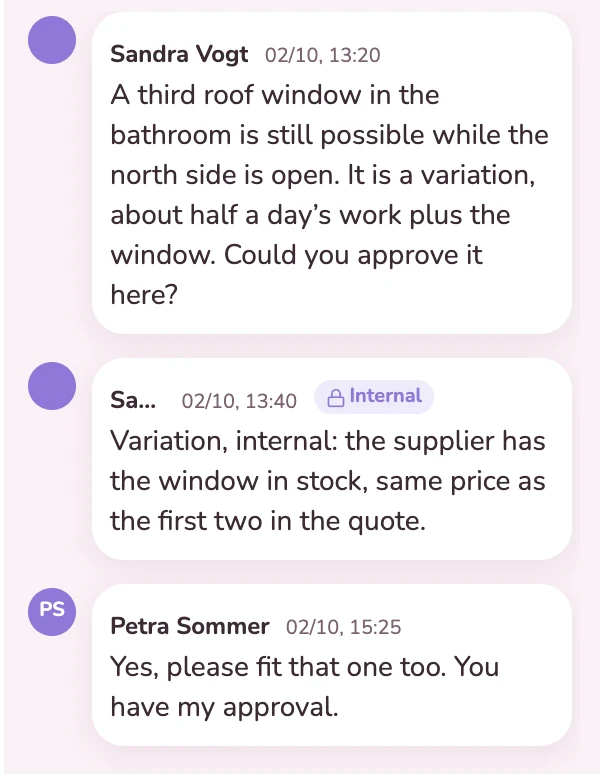
The client would like a third roof window in the bathroom. Your team writes up the extra work on the card, and she approves it there. Name and time are shown with it, even weeks later when the final invoice comes. What the window costs is on the same card as an internal note, and the client does not see it.
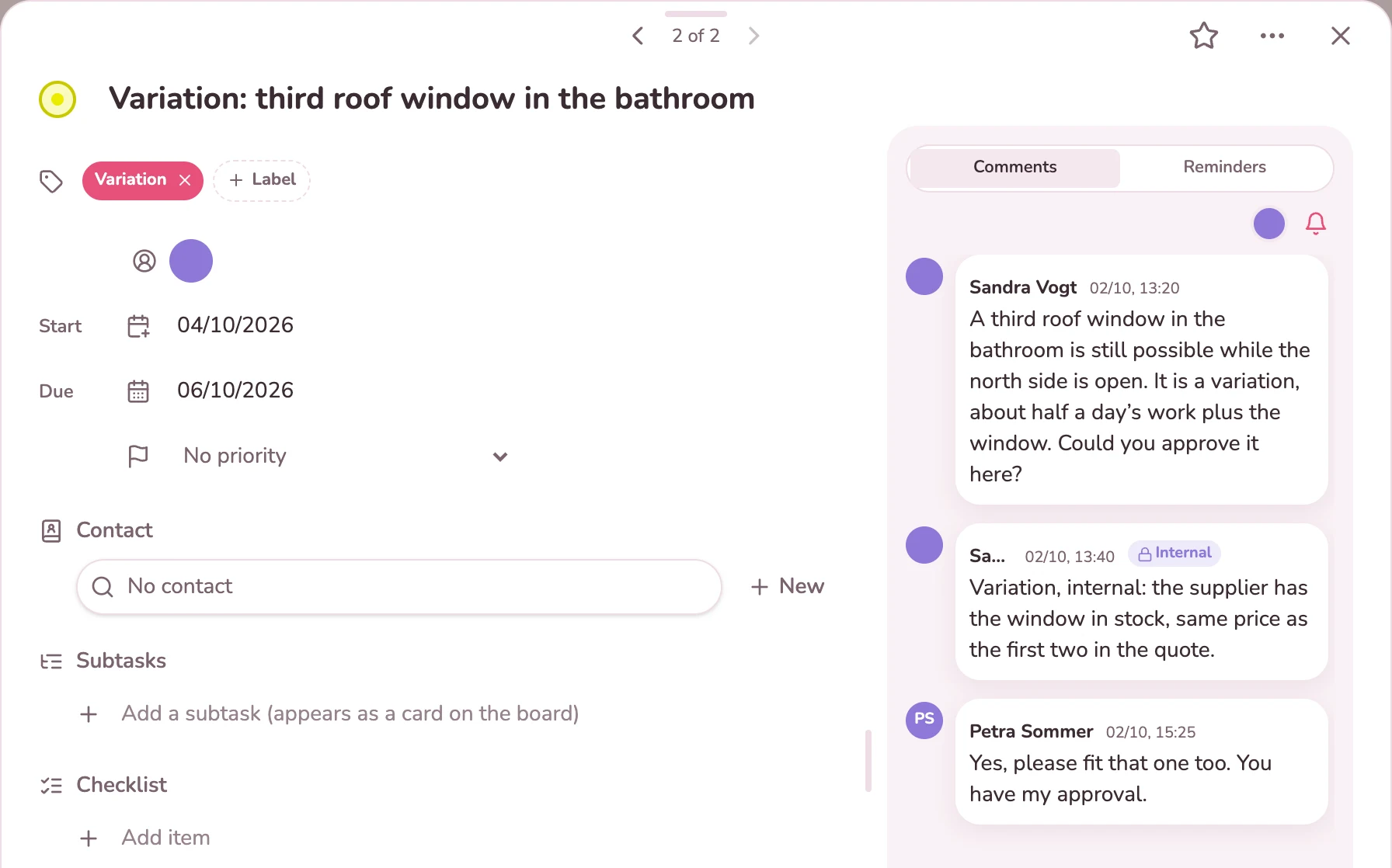
Whoever is up on the roof photographs the progress and attaches the picture to the card. On the board it appears on the tile straight away. The checklist shows what is already done: roofing underlay, battens, roof windows. The office sees both without having to ask, and if you wish the client ticks items off too, for example at the final inspection.
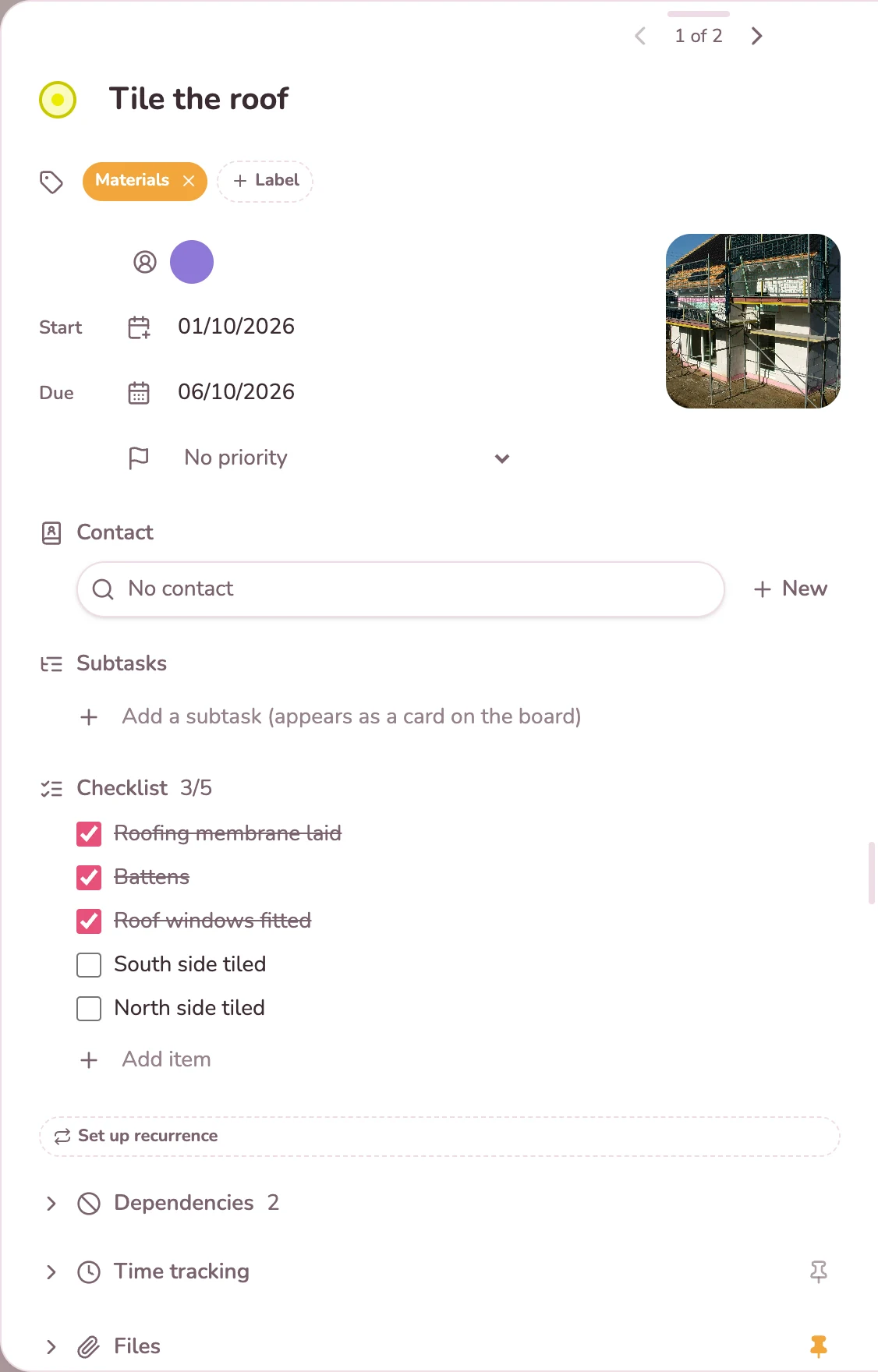
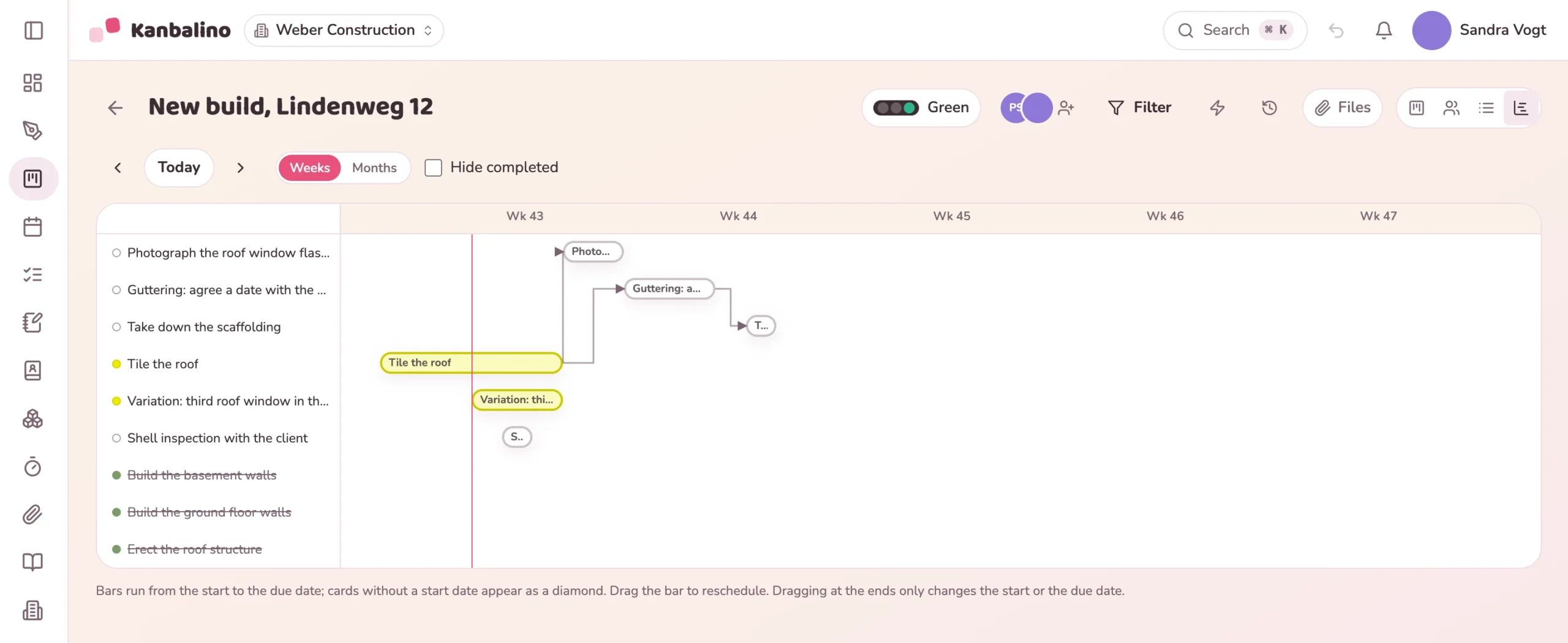
The gutter is only fitted once the roof is covered, and the scaffolding stays until the gutter is up. You enter dependencies like these on the card. The board then shows “Waiting for”, and in the timeline the bars are joined to one another. That way you see what depends on a date that has been moved.
You invite clients and subcontractors as guests. They pay nothing and see only the board of their site.
Learn more
Measurements, sketch and the minutes of the site meeting sit as a note next to the tasks, including a drawing on the photo.
Learn more
The calendar shows the dates of all sites, and the timeline shows which piece of work is waiting for which.
Learn more
Up to five people and three sites use Kanbalino at no cost and with no trial period that runs out. Clients, subcontractors and other guests never pay anything, in any plan.
If the business grows beyond five people or three sites, Premium starts at €4.95 per person and month, billed yearly, including VAT.
No. Kanbalino needs an internet connection, on your phone as well. You can add it to the home screen, but at present it cannot store data without a connection.
Not yet, a dedicated app for iOS and Android is planned. Until then Kanbalino runs in the browser and can be added to the home screen of your phone like an app. You do not have to install anything.
Yes, a free one. They sign in with the address you sent the invitation to, and after that they see only the boards you have invited them to. So create a separate board for each site.
No. Anyone who only needs to stay in the loop is added to the card as a stakeholder. You decide whether they receive copies of new emails and new comments. Internal notes never go out, the email only names attachments, and every email has an unsubscribe link. The copy contains the text only, without formatting. A stakeholder has no access to the card; for that, invite them as a guest. This needs the free Contacts add-on.
No, there is no signature feature. You attach the signed report as a PDF or photo to the card for the final inspection, where everyone in the team can find it again.
No. Quotations, measurements with line items, invoices and payroll stay there. Kanbalino is the place for tasks, agreements and photos around the site.
Yes. The statement of services lists the tracked times per task with date and activity and, if you wish, has a field for the signatures of contractor and client. Kanbalino produces it as a PDF with your letterhead, for example as an attachment to the invoice.
Kanbalino tracks time per task, by timer or by hand, and if you wish turns it into a timesheet per person and month. It does not cover arriving, leaving and breaks per day, so it is not a record of working hours. Your own system for recording working hours remains responsible for that.
On our own server in Germany, in a data centre in Nuremberg. The photos of your sites are stored there too. Sign-in can be secured with a second factor for the whole team.
Create an account, choose the “Building site” template, invite clients. No credit card and no trial period that runs out.