
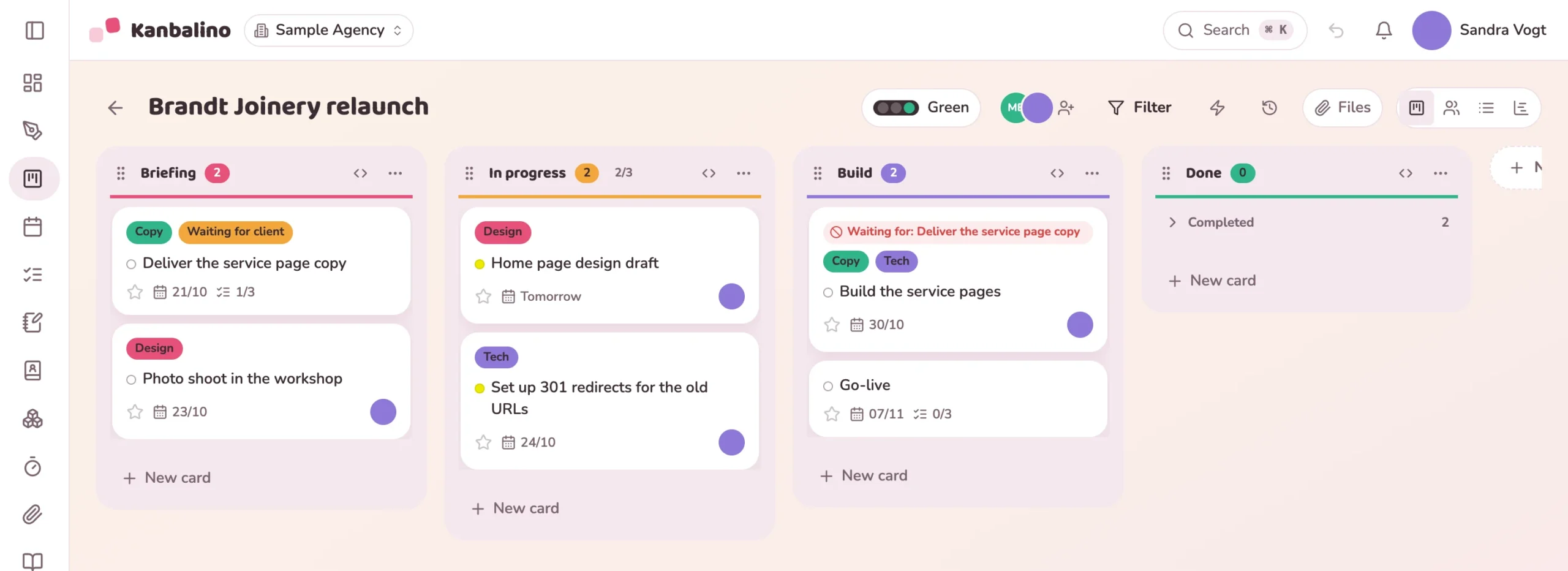
Project management for web design, marketing and creative work: one board per client, feedback on the task, the internal discussion invisible alongside it.
struggle with changing client requests, known as scope creep.
depend heavily on the knowledge of individual people.
lose too much time coordinating by hand.
digital agencies were surveyed for this in April 2026.
Source: iBusiness with ContentPaul, survey of digital agencies, 22 April 2026.
Client feedback is spread across email chains, phone calls and meeting notes. Only those who have read the inbox know which round of revisions is under way.
If a request goes beyond what was commissioned, this often only comes to light at invoicing, and whoever is on holiday takes the current status with them.
The project board is created from the opportunity won in Sales, or you create it from the template.
As guests, free of charge and as many as you like. They see only the boards you invite them to.
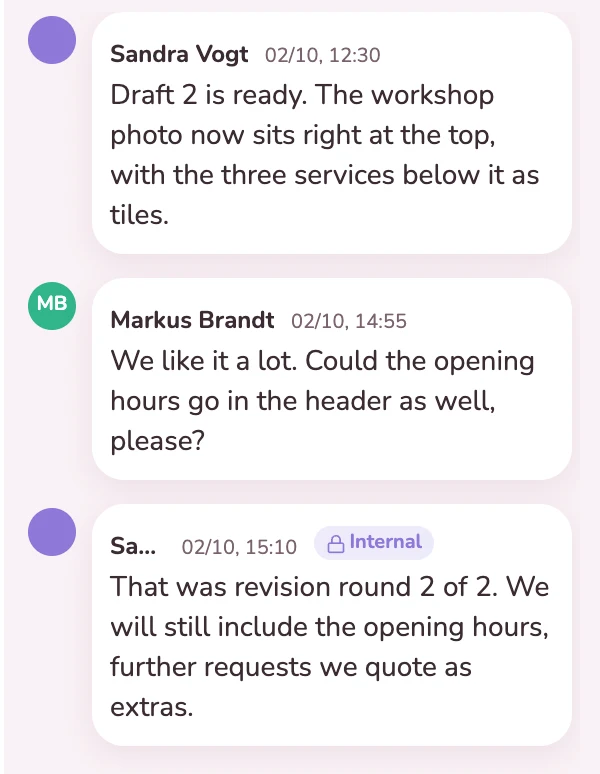
Revisions are attached to the task, and the internal assessment sits invisibly alongside.
Track time per task, and at the end of the month send the statement of services to the client as a PDF.
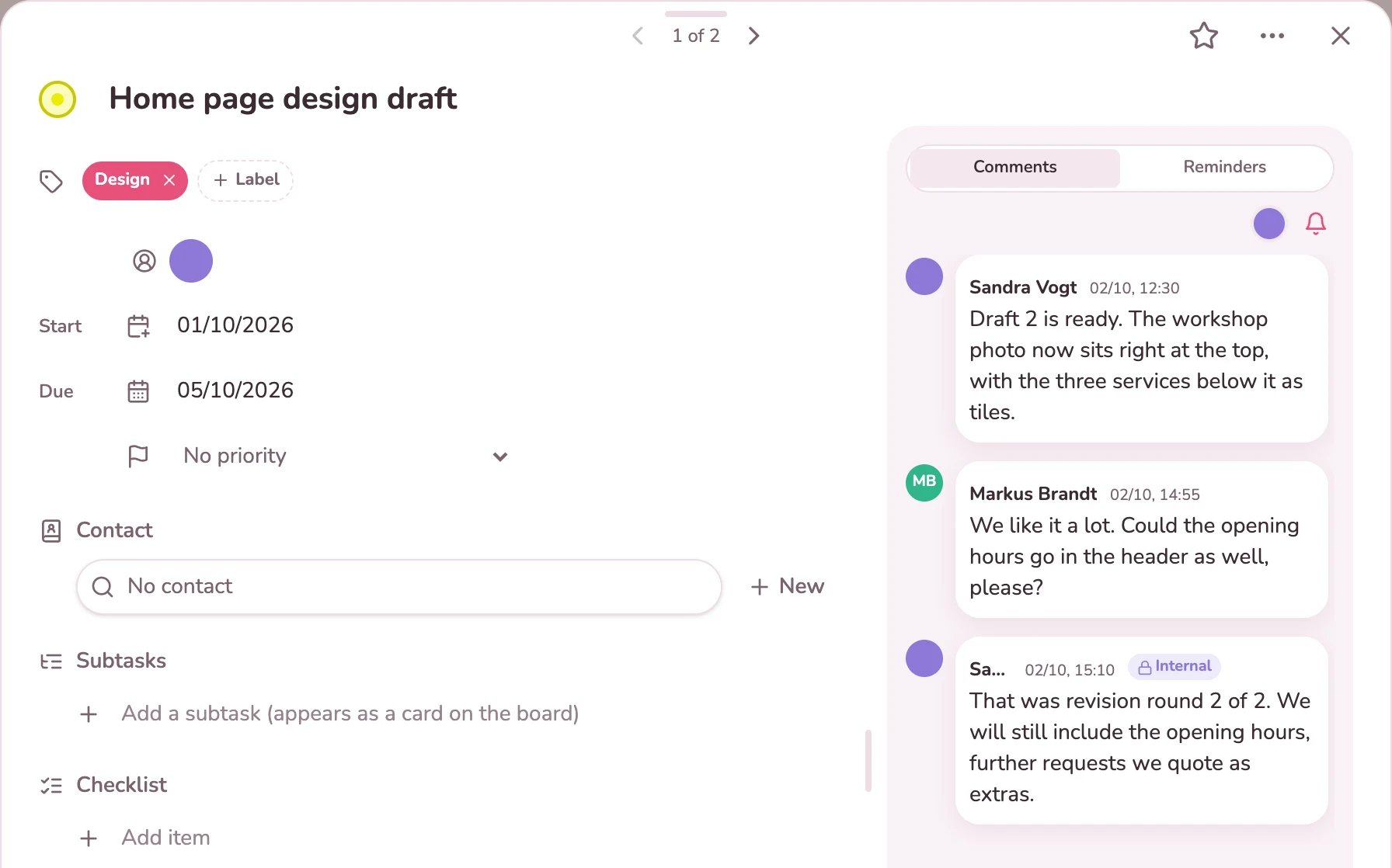
The client writes their feedback on the draft directly on the card. Your team replies there, and the fact that the last agreed round of revisions has been reached is recorded next to it as an internal note. That keeps it visible what has been agreed and what would be an extra.
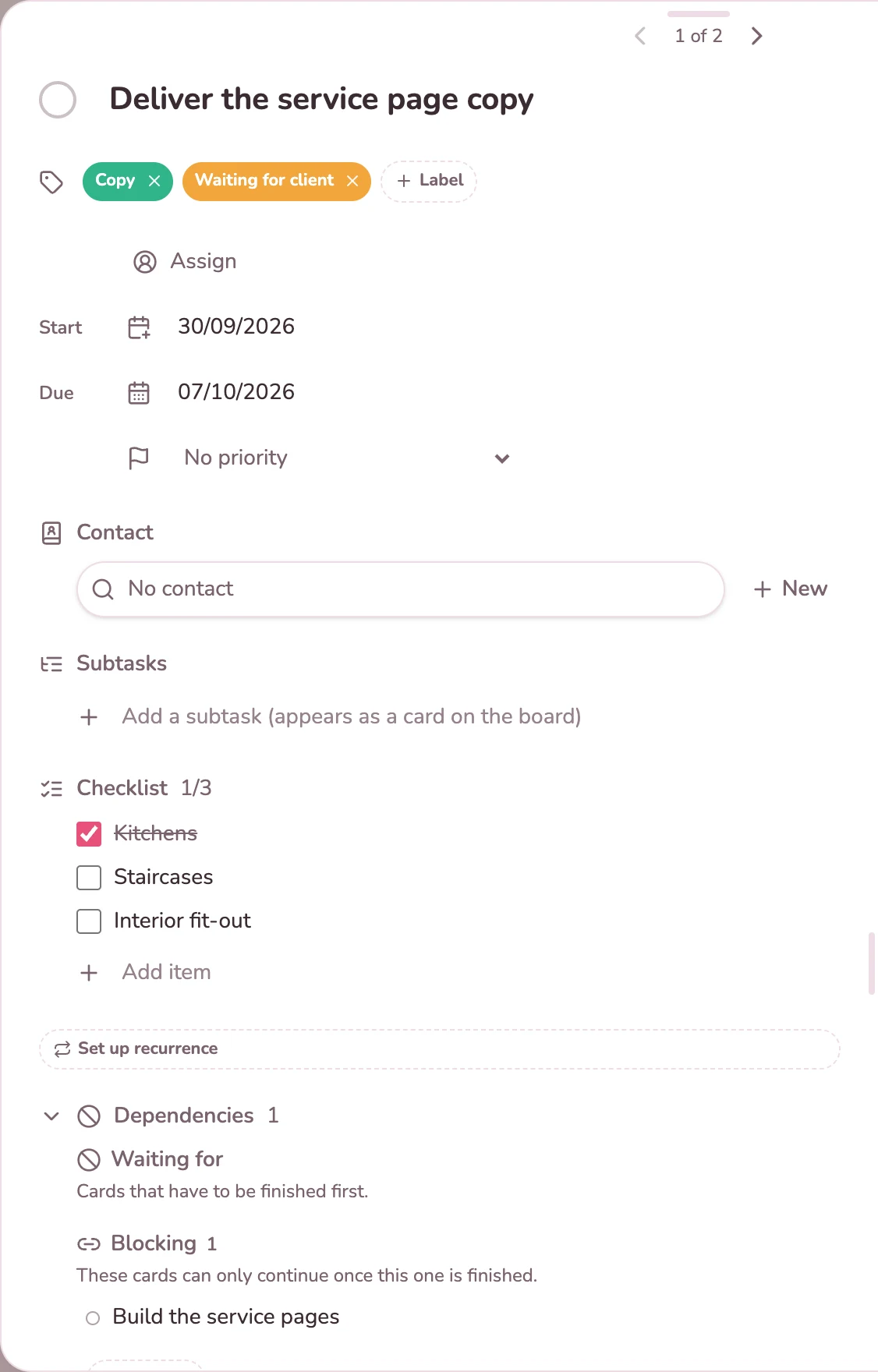
The copy for the service pages comes from the client. The checklist shows what has already arrived, the “Waiting for client” label makes it visible on the board, and the implementation is entered as a dependent task. The client ticks items off themselves and writes on the card when the rest will come.
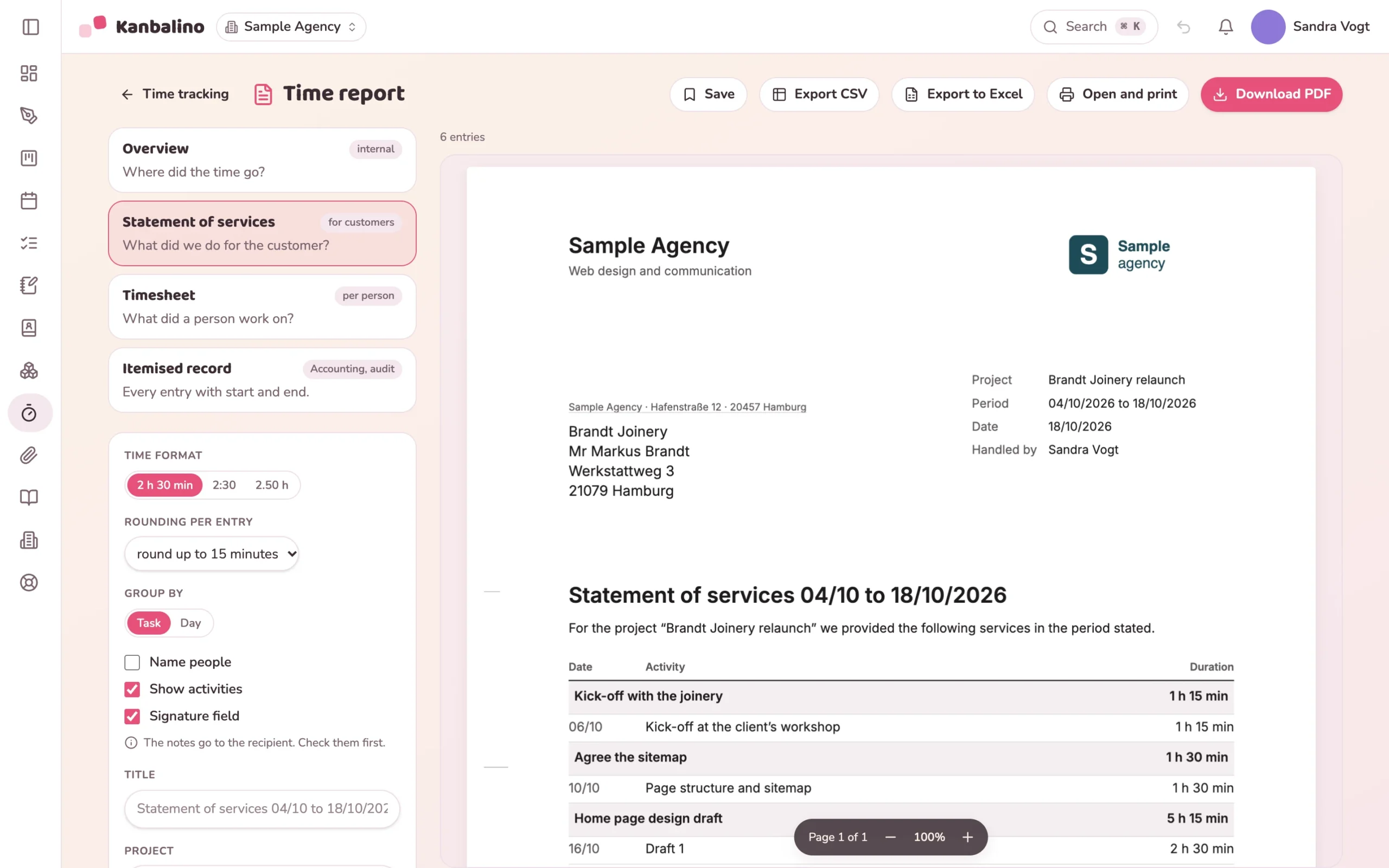
Whoever works on a task starts the timer on the card or adds the time afterwards. The report is built from the filtered entries: the overview for you internally, the statement of services for the client as a letter with your letterhead, the services per task and a field for both signatures. Kanbalino produces the PDF itself, and a CSV file is available as well.
Your clients work with you as guests, free in every plan. Each one sees only the board of their project.
Learn more
Every round of revisions is on its task. With @Name you bring colleagues in, and internal notes stay within the team.
Learn more
The times per task produce the statement of services for the client, as a PDF with your letterhead.
Learn more
Up to five people and three client projects use Kanbalino at no cost and with no trial period that runs out. Your clients work with you as guests and never pay anything, in any plan.
For more than five people or more than three client projects, Premium starts at €4.95 per person and month, billed yearly, including VAT.
Yes, with the free Time budget add-on, which admins switch on under “Add-ons”. Every board gets a budget in hours, every task an allocated time. The analysis shows tracked and remaining hours, the share of the budget and the breakdown by task and person, as an Excel file or as a PDF with your letterhead. Kanbalino does not know hourly rates or amounts, the budget counts hours.
Yes. The statement of services lists the services per task with date, activity and duration, if you wish with a field for the signatures of both parties. Names of people and activities can be hidden if your notes are to stay internal. Kanbalino produces it as a PDF with your letterhead, for instance as an attachment to the invoice. The footer says “Made with Kanbalino”, unless you have Premium and have added your own logo.
No. The client comments on the card, and images and PDF files open there in a preview. There are no annotations directly on the file.
Yes, a free one, with the address from your invitation. After that they see only the boards you have invited them to.
As guests they read and comment for free. Only members of the team can take on and edit tasks, and that requires a seat.
Yes, with Premium. In the menu on the board tile, choose “Save as template”. Columns, labels, tasks with checklists and dependencies and the automation rules come along, dates and assignees do not. Your team creates the next project from it with one click.
Yes. Kanbalino reads the export of a Trello board, with lists, cards, descriptions, due dates, labels, checklists and comments. Attachments stay in Trello, and every card concerned links to them.
On our own server in Germany, in a data centre in Nuremberg, including your clients’ drafts and files. Two-factor sign-in can be made mandatory for the whole team.
Create an account, choose the “Client project” template, invite clients. No credit card and no trial period that runs out.