
Every question, every approval and every decision is where it belongs: on the card. Even two years from now.
Agreements are scattered across email chains, phone calls and three group chats. Anyone who later wants to know why something was decided that way searches five mailboxes and finds nothing.
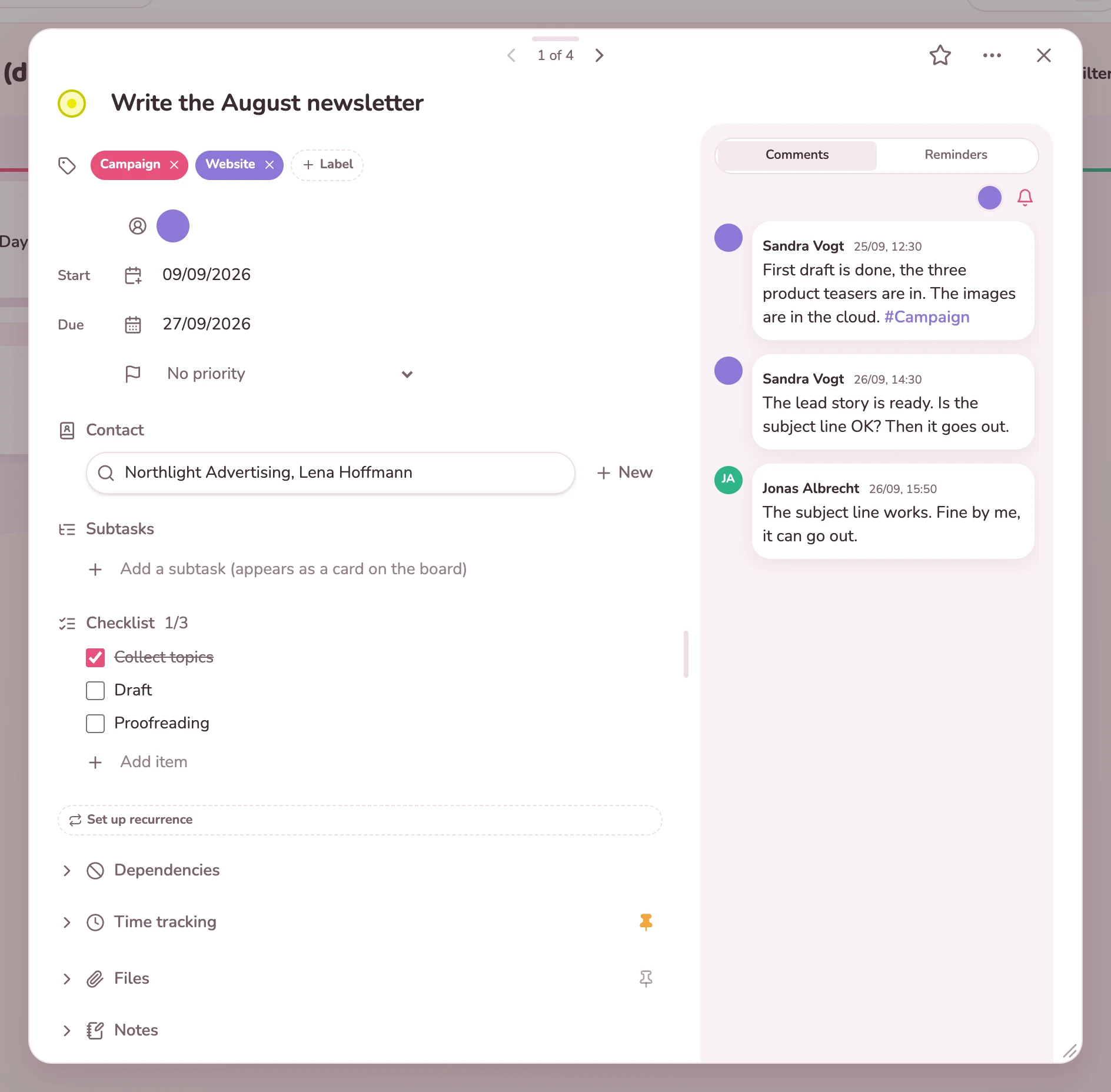
In Kanbalino the conversation lives on the task. Comments sit next to the card instead of in a separate channel. With @Name you mention someone, and the person immediately gets a notification in the app and, depending on their settings, an email as well. With #keyword you add a label along the way.
No, deliberately not. The conversation is on the task as comments. That way you can still find out months later why something was decided that way.
With @ and the name. As you type, Kanbalino suggests matching people. The person gets a notification in the bell and, depending on their settings, an email. If a name matches several people, Kanbalino does not guess but asks for the full name.
No. An internal note is invisible to guests, technically and not just visually. The lock in the input field turns a comment into an internal note before you send it. More about guests
Only for what you choose in the settings: mentions, assignments, due dates and invitations. The bell in the application always stays active, and every email contains an unsubscribe link.
Yes. Add the person to the card as a stakeholder, with their role in the project, for example as architect or operator. Two checkboxes decide whether they receive copies of new emails and new comments. Internal notes never go out, and every email contains an unsubscribe link. A stakeholder has no access to the card; for that there are guests. You manage stakeholders via the bell on the card, and the free Contacts add-on is required.
Yes. The history of the card shows who changed what and when: creating, moving, status changes, assignment, renaming, dates and comments. Earlier versions can be restored.
The client gives feedback right on the task. What the team discusses internally sits next to it as an internal note.
View
The client approves extra work on the card, with name and time. When the final invoice is due, it is all still there.
View
The query to the client is on the task, with the internal assessment next to it as a note. The client never sees it.
View
Create an account, set up a board and comment on your first task instead of writing an email. No credit card and no trial period that runs out.