
For product teams in software companies and start-ups: one board from backlog to release, with a limit on work in progress, dependencies and a timeline. Decisions are on the card, not in the chat.
say that waiting for answers often interrupts their work.
see knowledge that only individuals hold as an obstacle.
run into this ten or more times a week.
responses were given to the question about waiting.
Source: Stack Overflow, Developer Survey 2024, section “Professional Developers”. The 53% is the sum of “strongly agree” (16%) and “agree” (37%).
The tasks are in the ticket system, the decisions in the chat and the dates in a spreadsheet. Anyone who wants to know why a feature was built the way it was searches three tools and ends up asking someone after all.
Everyone works on many things at once, and the team only notices the day before that the release is waiting for two open tasks.
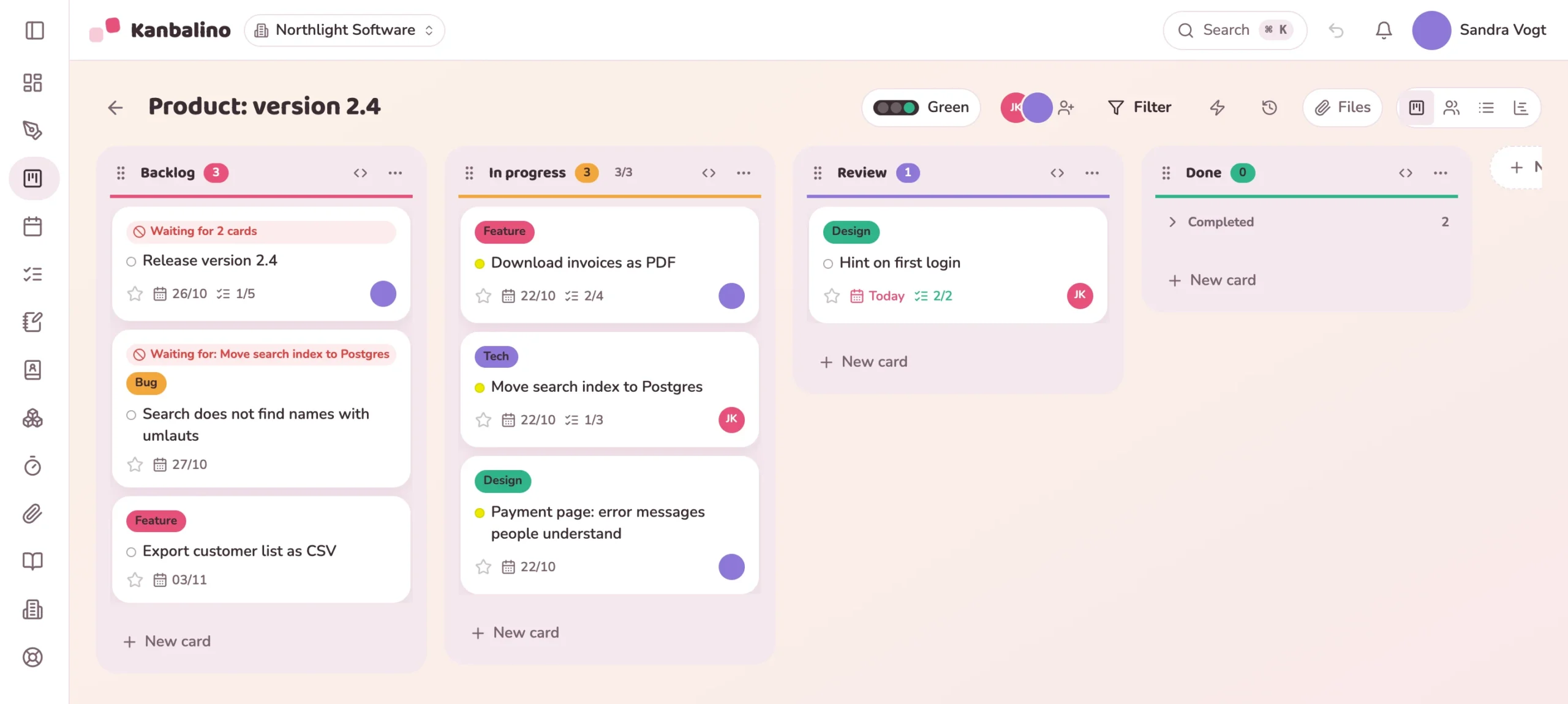
Ideas and bugs land in the backlog: as a card in one line, by email to the board or via the API from your support form.
What comes next is at the top. Dependencies show what has to wait.
“In progress” has a limit, for example three cards. The team settles questions on the card.
The release waits for its predecessors. The checklist leads through testing, approval and announcement.
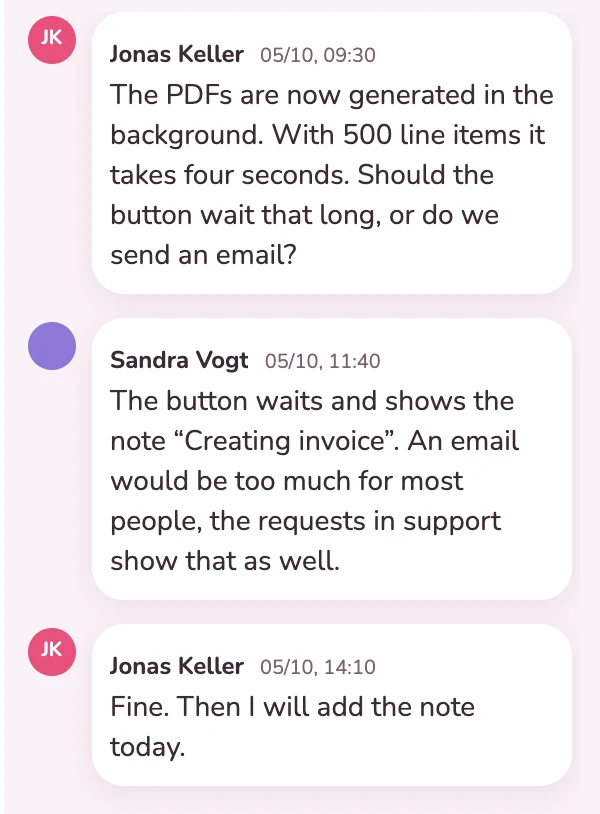
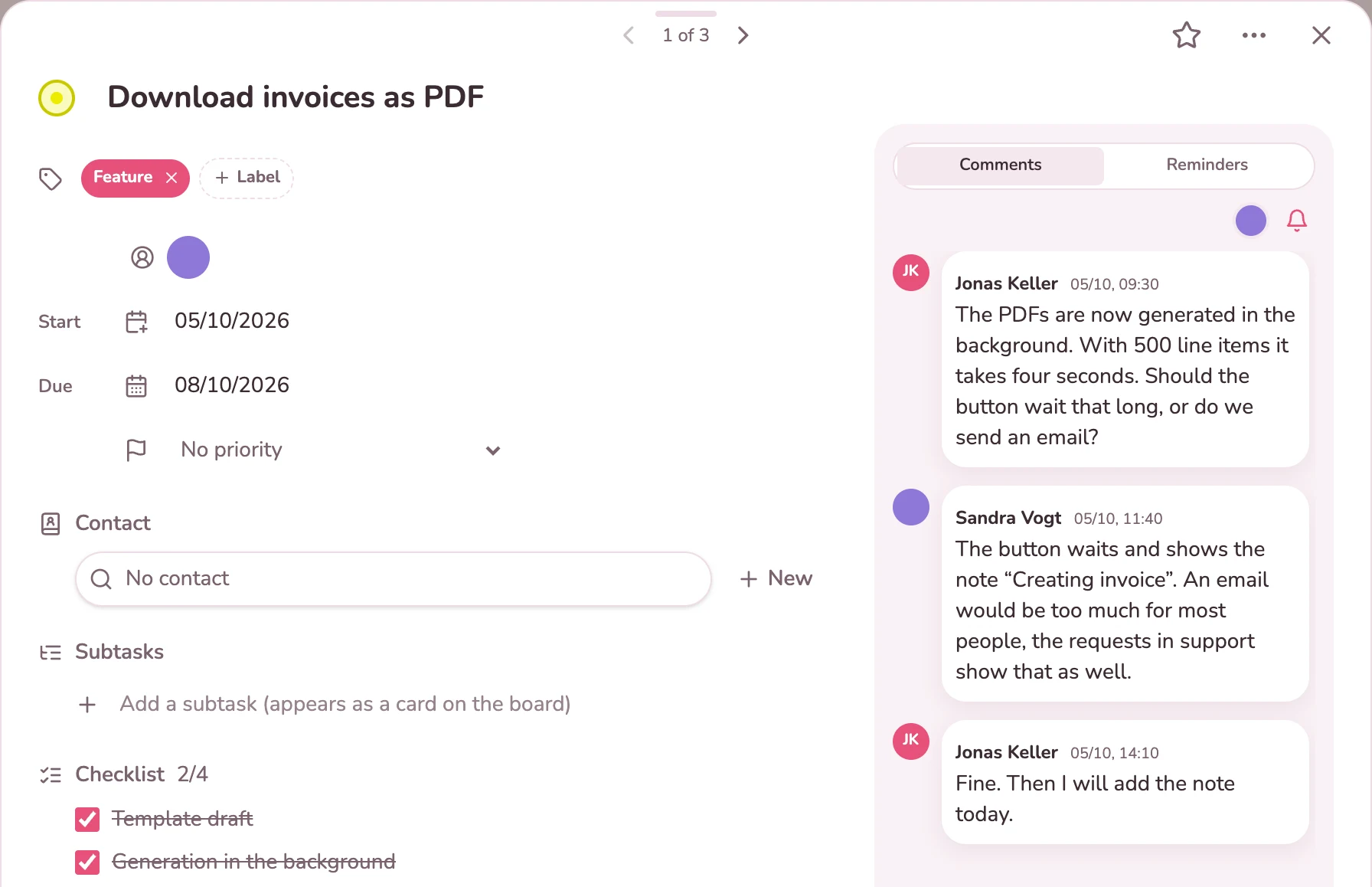
The developer asks how the export should behave with large invoices. The product owner decides on the same card, with name and time. Anyone who opens the card later sees why the feature is built the way it is.
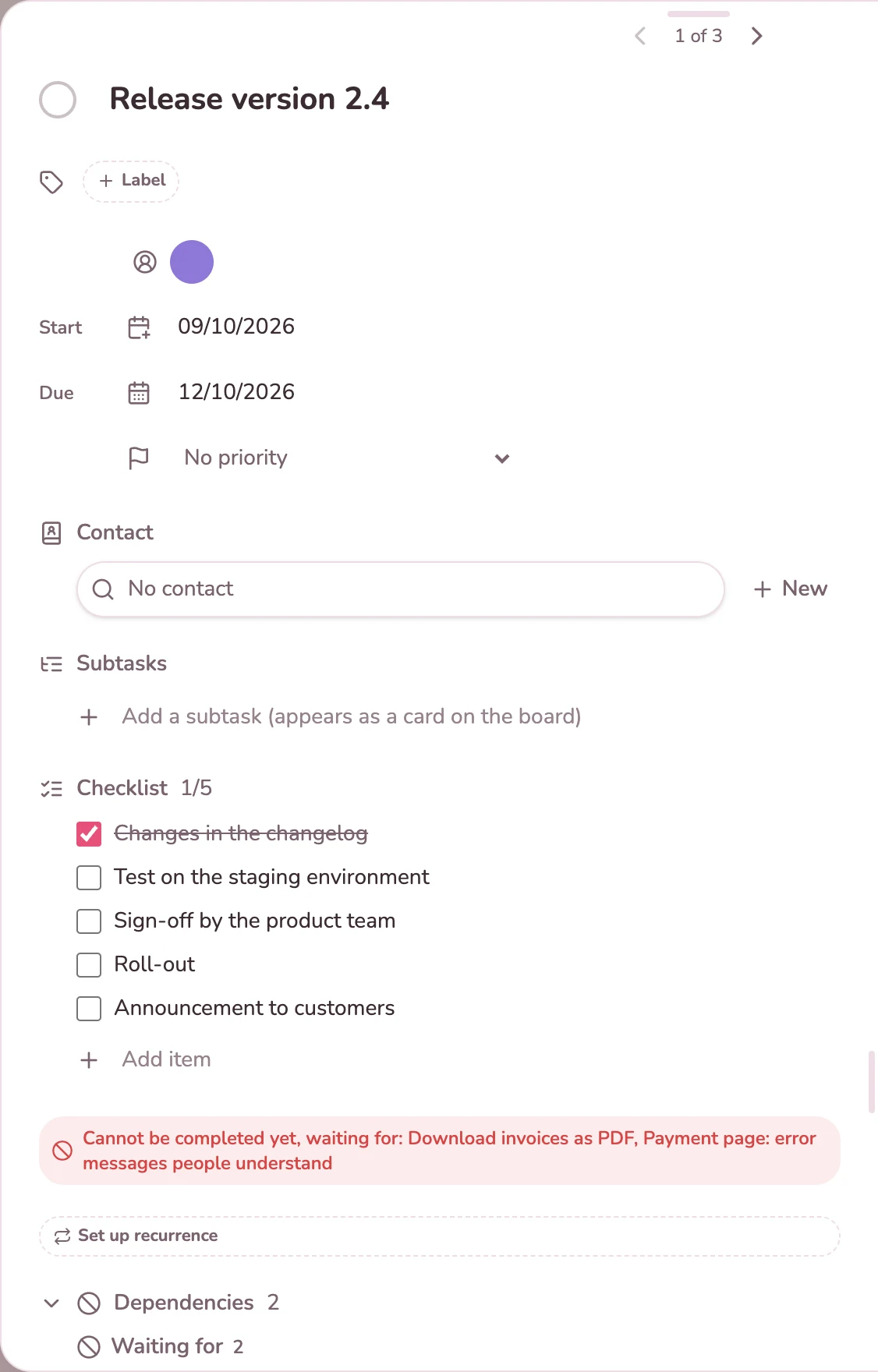
The card “Ship version 2.4” depends on two others. As long as they are open, the tile says “Waiting for 2 cards”, and the card window shows which ones. The card can only be completed after that.
The timeline shows every card as a bar from start to due date, and the connections between them. If a card starts before its predecessor is finished, the line turns red. To reschedule, you drag the bar.
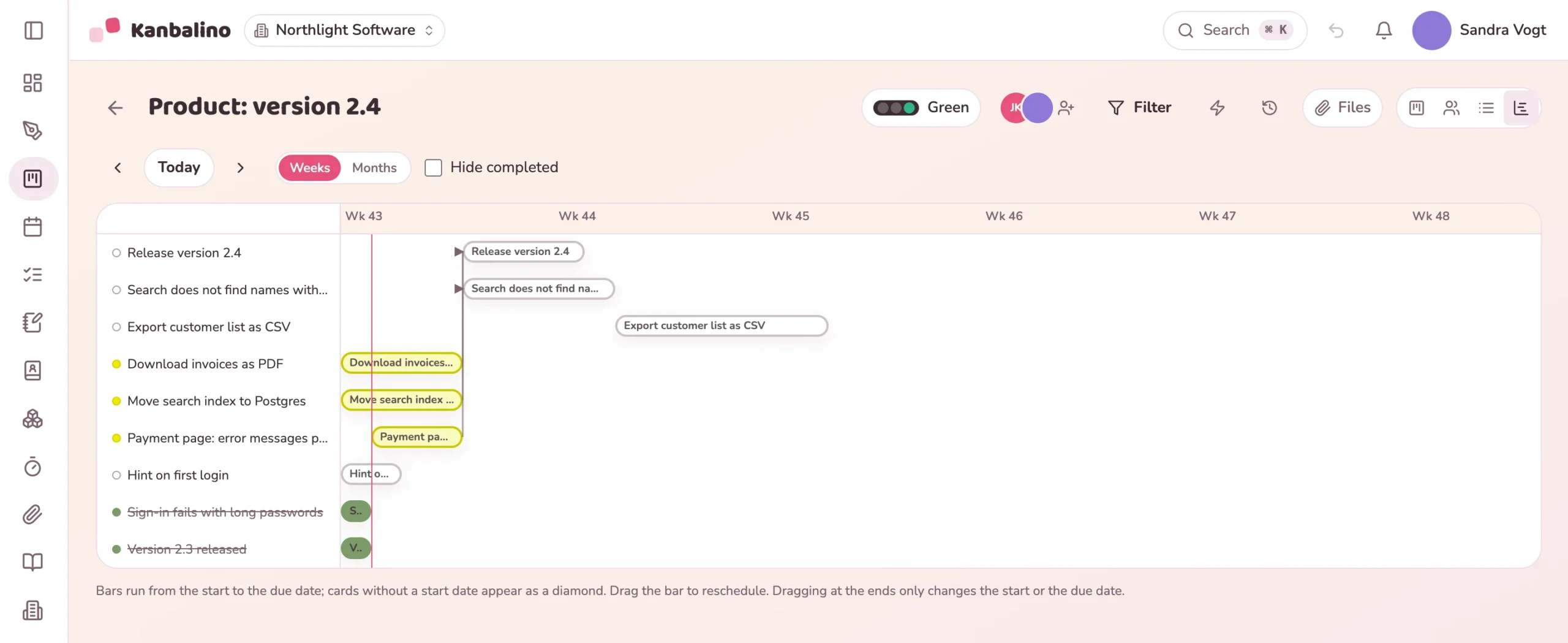
Columns from the backlog to “Done”, a limit on work in progress and subtasks as real cards.
Learn more
The timeline shows dates and dependencies, and the dashboard shows what is open, what is overdue and the distribution across the team.
Learn more
Rules set the status, assign or notify as soon as a card lands in a column. Cards can also be created through the API.
Learn more
Up to five people and three boards use Kanbalino at no cost and with no trial period that runs out. Customers and management read along as guests and never count as a seat.
For teams of more than five people or with more than three boards, Premium starts at €4.95 per person and month, billed yearly, including VAT.
No. Kanbalino works with Kanban: one continuous board, a limit on work in progress and dates on the cards. If you plan in sprints, you represent the sprint as a label or as a board of its own. There are no burndown charts.
No, commits and pull requests do not appear on the card. However, cards can be created via an API per board, for example from a support form. In addition, every board has an email address of its own, and an email sent to it becomes a card.
No. The limit warns: if there are more open cards in the column than allowed, the counter changes colour. Completed cards do not count, they collect at the bottom under “Completed”.
No. If you drag a bar, only this card moves. If a dependent card then starts too early, the timeline shows the connection in red.
From Trello, yes: Kanbalino reads the export of a board with lists, cards, labels, checklists and comments. Attachments stay in Trello. There is no import from Jira.
Yes, as guests. They see the whole board, comment and never count as a seat. They do not see internal notes on a card.
To a large extent. Cmd or Ctrl and K opens the quick search, you create a card in one line, and cards can be picked up and moved with the keyboard.
On our own server in Germany, in a data centre in Nuremberg. Backups are stored in encrypted form in the EU, and two-factor sign-in can be made mandatory for the whole team.
Create an account, set up a board from the “Software development” template or import your Trello board. No credit card and no trial period that runs out.