
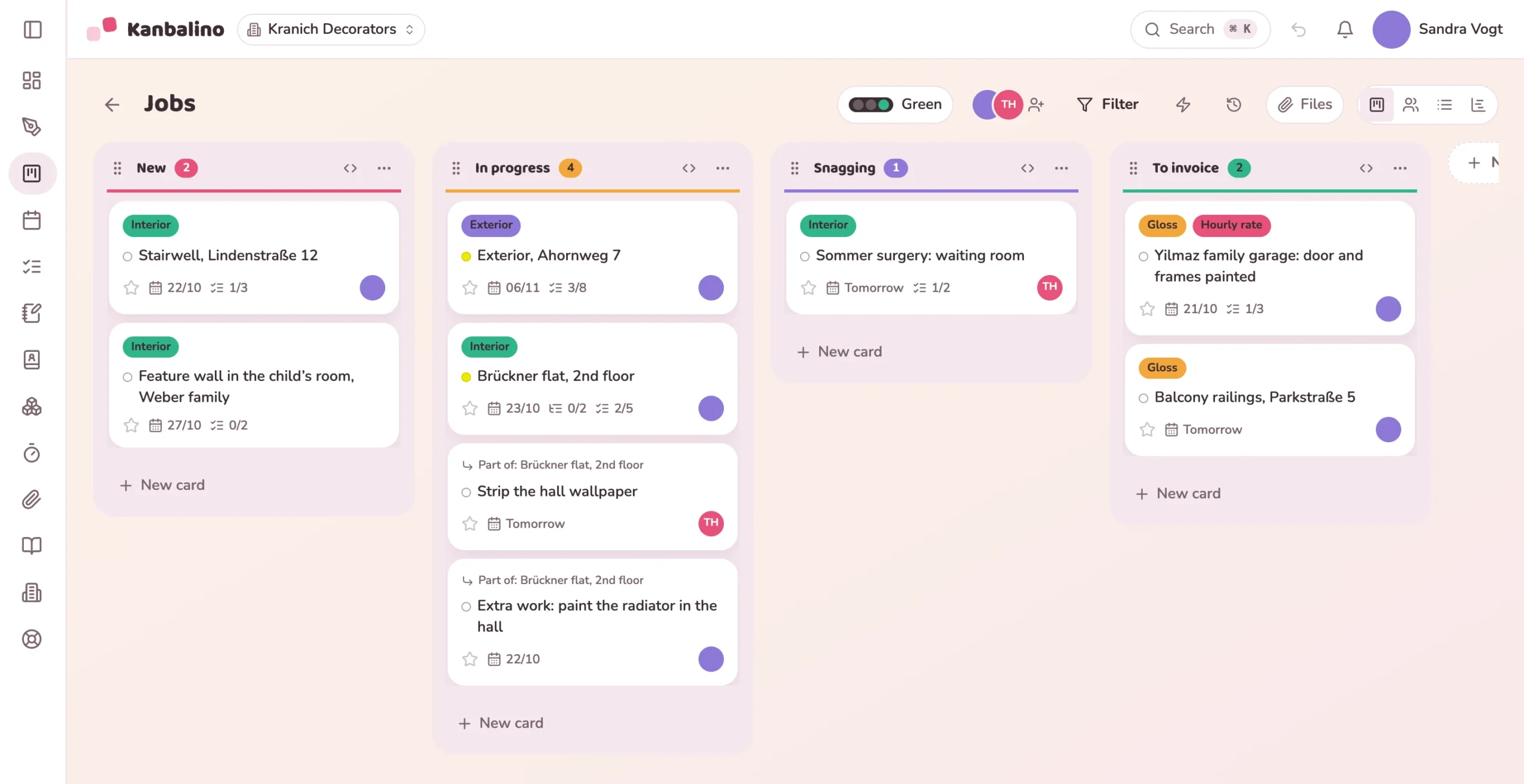
For trade businesses and service providers: one board for all jobs, every card a job with its work steps. The columns show what is new, what is in progress and what can be invoiced.
weeks of orders in hand is the average for painting and decorating businesses, 9.4 for micro-businesses.
of businesses say the shortage of skilled workers strongly affects their order situation.
of turnover comes from private clients.
people work on average in one of the 31,583 painting and decorating businesses.
Sources: Bundesverband Farbe Gestaltung Bautenschutz (the German association of the painting and decorating trade) with forsa, Economic Survey 2026, 799 businesses surveyed; ZDH (the German confederation of skilled trades), Skilled Trades Census 2024.
The jobs are on a planning board in the office, on slips of paper in the van and in the head of the master craftswoman who runs the business. What the site needs goes by phone or messenger, and some photos can no longer be found by the evening.
When a job is finished, it sits there until somebody thinks of the invoice. Which hours belong to it is pieced together from slips of paper.
A card in the “New” column, with a checklist for site visit, quotation and date.
In “In progress” the team ticks off the steps. Anyone who takes on something of their own gets a subtask.
Remaining work after the final inspection stays in “Follow-up work” until everything is done.
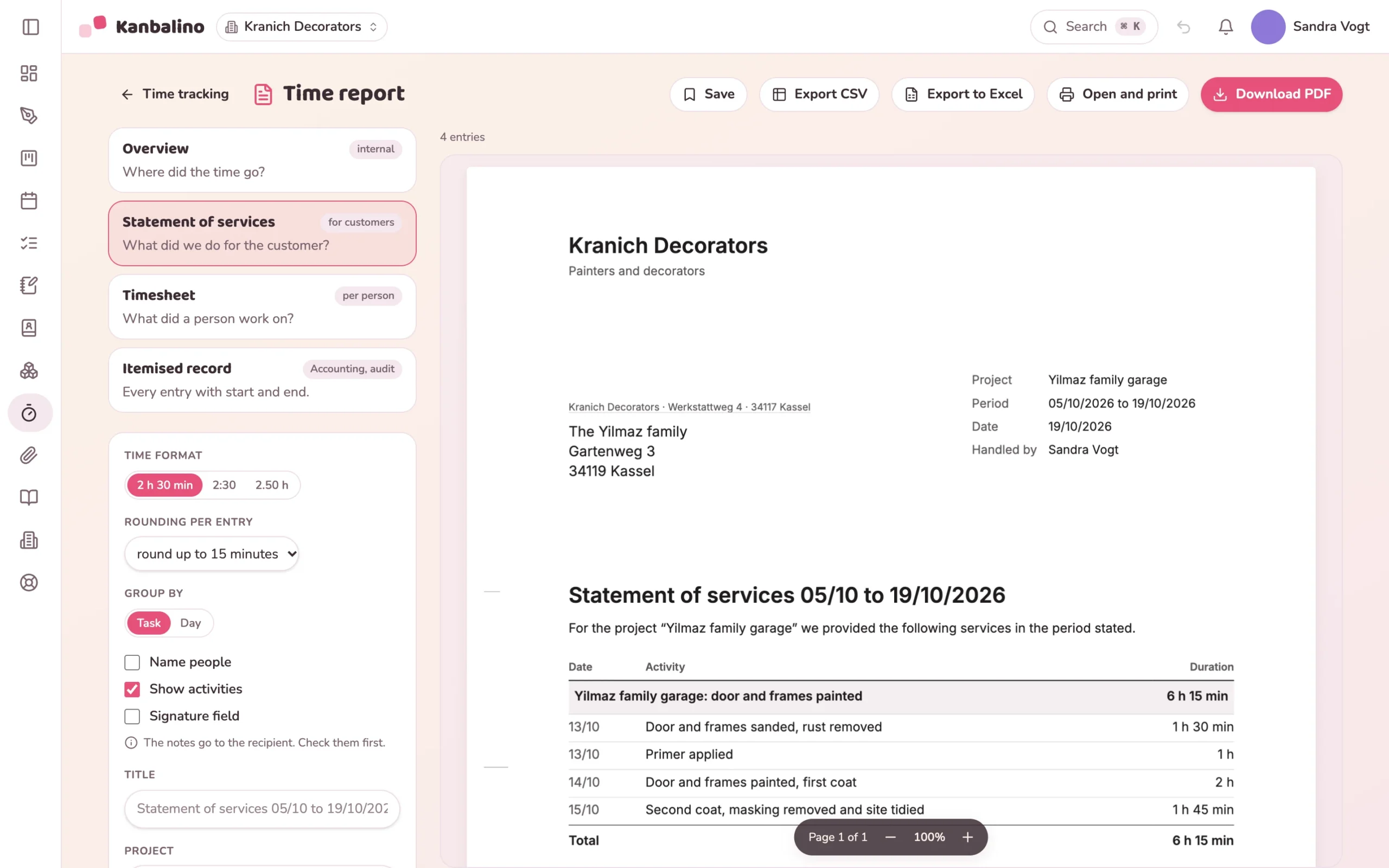
“Ready to invoice” holds what can be invoiced. The hours are available as a statement of services.
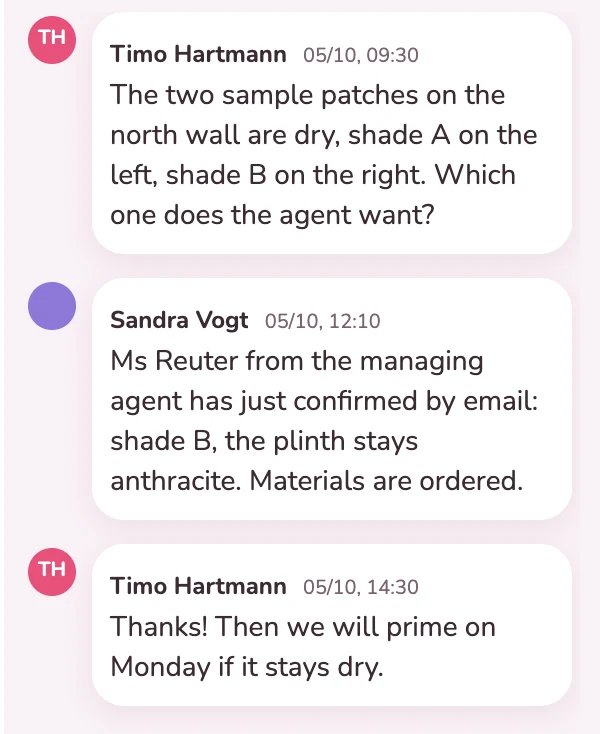
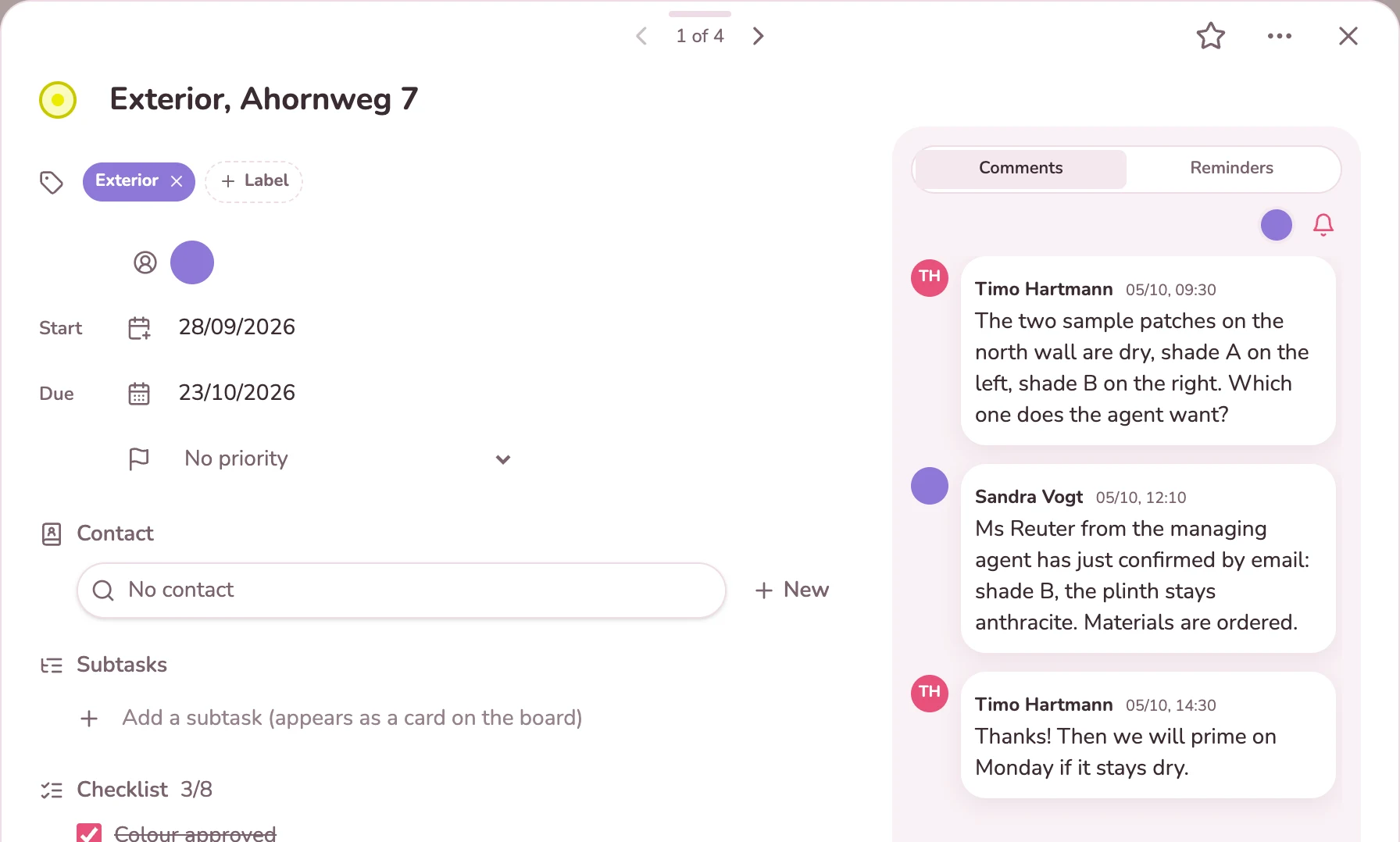
The foreman reports from the facade that the sample areas are dry. The office adds which shade the property manager has approved and that the materials have been ordered. Everything is on the job card, with name and time, and the checklist shows how far the job has got.
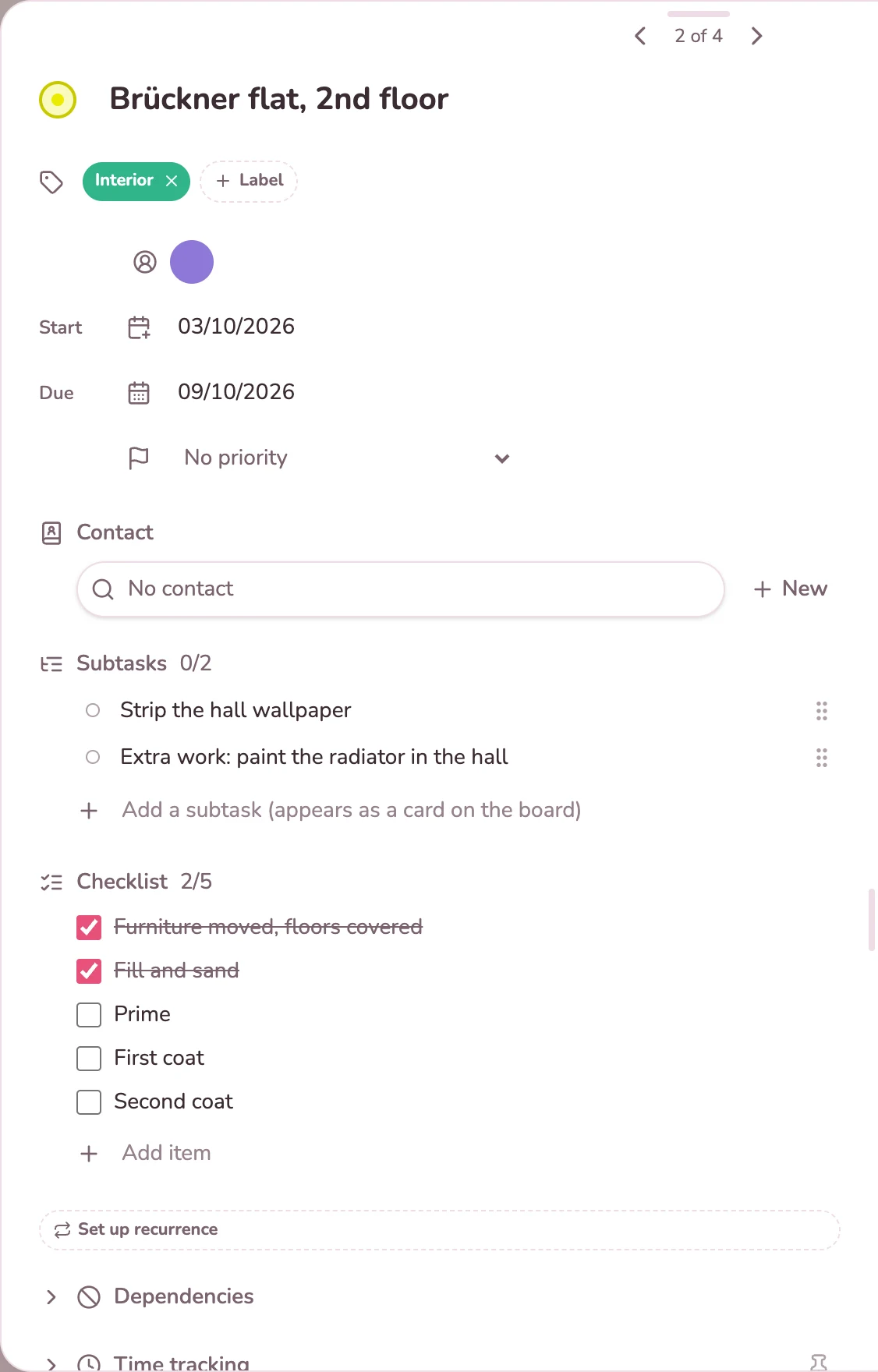
The work steps of a job are in the card as a checklist, which keeps the board clear. If someone takes on a step with its own date, such as additional work ordered later, it becomes a subtask. It appears as a card of its own directly below the job, which shows its status as a separate figure.
Finished jobs move to the “Ready to invoice” column. If the work was done by the hour, the tracked times produce a statement of services as a PDF, with your letterhead, the services and the total. You keep writing the invoice itself in your invoicing software.
The board is your job list: a card moves from “New” to “Ready to invoice”, and everyone sees where a job stands.
Learn more
You record the hours of a job on its card. They become the statement of services as an attachment to the invoice.
Learn more
When a job moves to “Ready to invoice”, a rule notifies the office. Maintenance jobs create themselves again.
Learn more
Up to five people can use Kanbalino with up to three boards at no cost and with no trial period that runs out. Because all jobs are on one board, two boards remain free, for example for a large job with the customer as a guest.
If you need more than three boards or more than five people in the business work together, Premium starts at €4.95 per person and month, billed yearly, including VAT.
No. Small and medium-sized jobs are cards on a shared board. A board of its own is worthwhile for large jobs with many tasks.
Better not at the whole board, because a guest would also see the jobs of other customers. Instead, share only the card of their job with the customer. They see the description, checklist, files and the comments for everyone, nothing else, and can reply there. Guests are free of charge.
Subtasks are cards of their own and appear on the board below their job. With ten jobs of six steps each, that would be 60 more cards. The checklist keeps the steps in the card, and the board shows only the progress.
No. Quotations and invoices stay in your invoicing software. Kanbalino shows what can be invoiced and supplies the hours as a statement of services or as a CSV file.
No. Kanbalino tracks times per job, for example for the statement of services for the customer. That does not replace a record of daily working hours with start, end and duration. For that, your own recording of working hours stays in place.
No. A date is a day without a time, and every card has a person responsible. The calendar shows the jobs by day, and the view grouped by person shows who is working on what.
No. Kanbalino needs an internet connection, on your phone as well. It runs in the browser and can be added to the home screen like an app; there is no dedicated app for iOS and Android yet.
On our own server in Germany, in a data centre in Nuremberg. That applies to jobs, photos and recorded times alike. Sign-in can be secured with a second factor for the whole business.
Create an account, set up a board with your columns, add the first job as a card. No credit card and no trial period that runs out.