
Rules that follow the pattern: when something happens, then do this. And an email becomes a card.
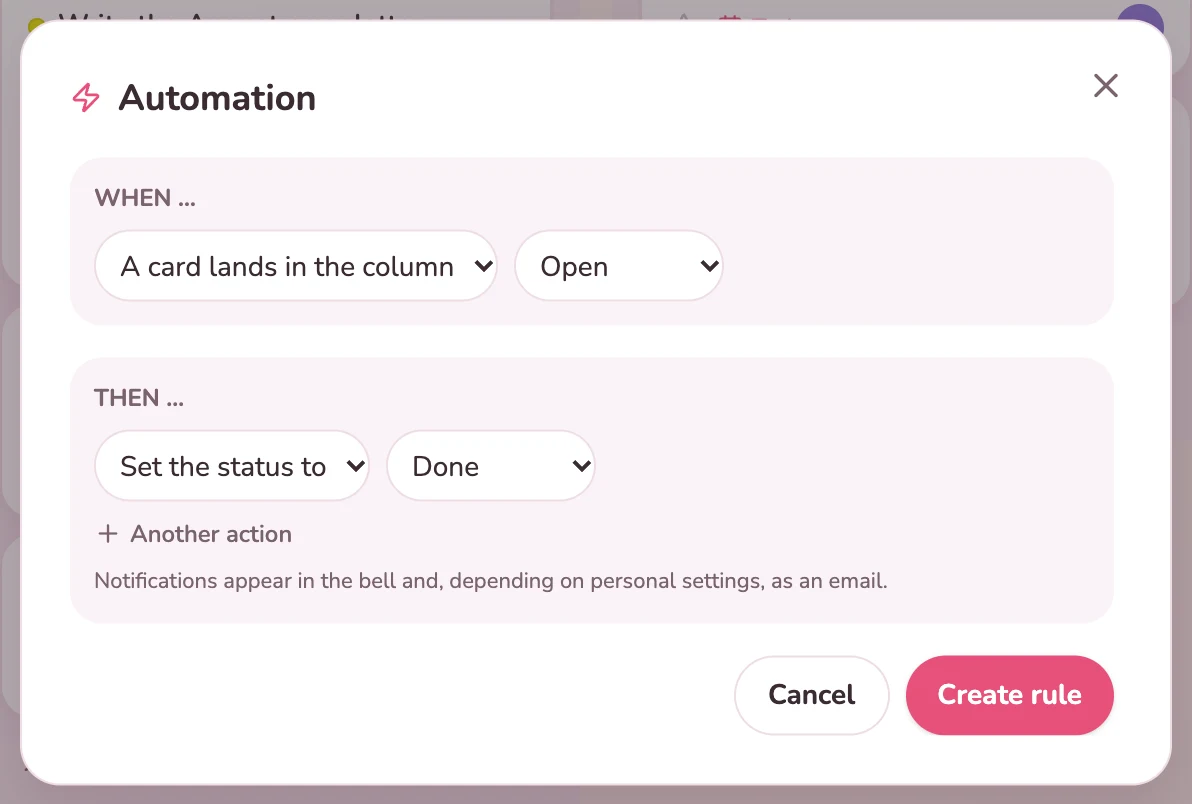
Always the same chores: move, set the status, notify someone. That costs minutes every day and still gets forgotten.
In Kanbalino you create automatic rules. One trigger, up to five steps. The rule applies regardless of how the card got there, whether by dragging, through the dialog, by email or through the API. In addition, every board gets its own email address if you wish.
Three: a card lands in a column, the status changes, or a due date is coming up (today, in a few days or overdue).
Up to five steps: set the status, assign a person, move the card, add a label and notify.
The owner of the board.
Every board gets its own address if you wish. The subject becomes the title, the text becomes the description, attachments are attached. Only members of the board create cards this way. With Premium and the Tickets / requests add-on, emails from outside become requests.
Daily, weekly, monthly or yearly. The next card is created either after the current one has been ticked off or on the fixed date, as you choose.
Yes. With one key per board, your own programs create cards, with a photo too. The key cannot do more than create cards in this one board.
Recurring inspections create themselves again once completed. A rule alerts you when a task falls due.
View
The annual briefing creates itself again as a recurring task. Nobody has to remember it.
View
When a request moves to a particular column, a rule sets the status, assigns or notifies.
View
Create an account, set up a board and set up your first rule. No credit card and no trial period that runs out.