
For small businesses: columns and cards as in Trello, plus calendar, timeline and time tracking already in the free plan. Your customers collaborate for free, even on several boards.
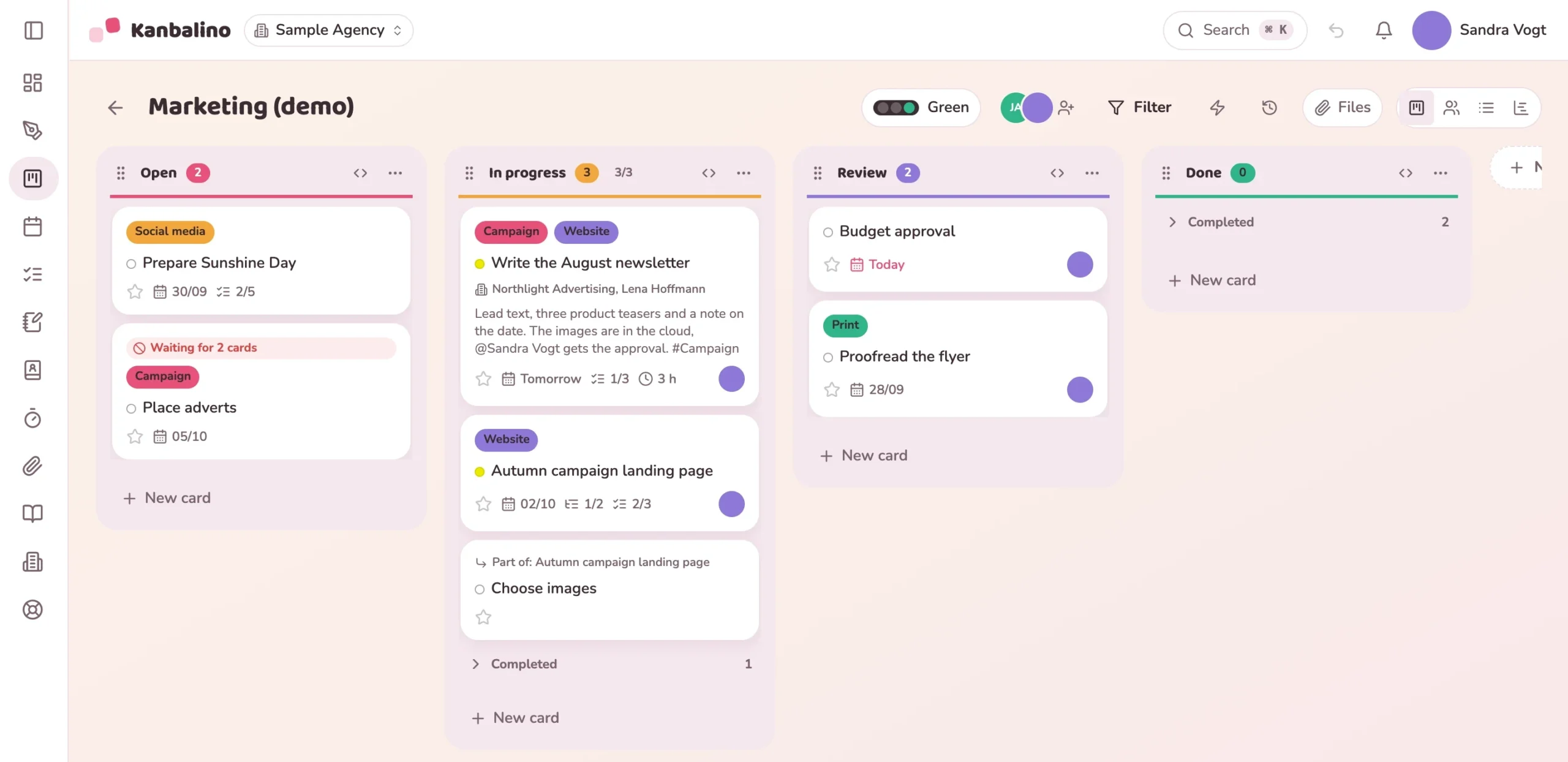
With almost the same base price, the difference lies in what the price includes. Information on Trello from Trello and Atlassian themselves.
| Feature | Kanbalino | Trello |
|---|---|---|
| Kanban board with subtasks and checklists | in every plan | in every plan |
| Calendar, timeline and dashboard | in every plan, including free | from Premium, 10 USD per person and month |
| Overview of all boards | Boards at a glance on the dashboard, in every plan: open and overdue cards, progress, next due date and time budget per board | workspace views from Premium, 10 USD per person and month: cards from several boards as a table and in the calendar |
| Time tracking on the card, report as PDF | built in, in every plan | not built in; via Power-Ups from other providers, around 10 USD a month |
| Dependencies between cards | in every plan | not built in; Trello recommends checklists and links, otherwise Power-Ups |
| Notes with hand sketches and voice notes | in every plan | via Power-Ups or connected tools such as Confluence |
| Planning on the canvas | in every plan | via Power-Ups from other providers, such as Miro with its own Miro account |
| Templates | templates with content in every plan, save your own with Premium | templates from the community; workspace templates from Premium |
| Rules following the pattern if, then | in every plan | free 250, Standard 1,000 command runs per workspace and month, Premium unlimited |
| Tasks by email | own email address per board, a forwarded email becomes a card | in every plan, a personal address per member and board |
| External people, such as customers | free in every plan, on any number of boards, also for a single card | free on one board, a full seat from two boards (Standard, Premium) |
| Contacts on cards | free extension in every plan: every card gets a contact field | contacts as separate cards; a contact field via Power-Ups |
| Sales (CRM) with opportunities and emails | extension: included in the free plan, €2.50 per seat with Premium | a board can be set up as a CRM; CRM features via Power-Ups |
| Customer requests via form and email | with a number and status page; at no extra cost with Premium | forms via Power-Ups, for example free up to 10 responses a month, then from 29 USD |
| AI: summarise a card, draft a reply, revise text | extension per workspace, not per seat: €3.90 a month for about 100 requests, €9.90 for about 500 or €16.90 for about 1,000 | AI features from Standard, 5 USD per person and month |
| Orders from WooCommerce as cards | Shop connection extension | no Power-Up in the Trello directory |
| Server and data location | own server in Nuremberg, encrypted backups in the EU | data centres in the USA, a location cannot be chosen |
With calendar and timeline, the calculator compares with Trello Premium, without them with Trello Standard. At Kanbalino both are always included.
Cost per year, net
What Kanbalino includes in the price, but the selected plan of the other tool does not, or only in a more expensive one:
| Feature | Kanbalino | Trello |
|---|---|---|
| Free | 5 team seats and 3 boards, unlimited external people | 10 collaborators including guests and pending invitations, 10 boards |
| At the free limit | nothing new can be created, existing items stay editable | the boards become read-only |
| Paid, per person and month | €4.95 including VAT (€4.16 net) with annual payment, €7.50 monthly | Standard 5 USD annually, 6 USD monthly; Premium 10 USD annually, 12.50 USD monthly; plus taxes |
| Payment | card or SEPA direct debit, invoice on request | credit card (Standard and Premium) |
| Storage | free 500 MB per workspace, Premium 20 GB | unlimited, 10 MB per file on the free plan, 250 MB on Standard |
| Apps | apps for iOS and Android to follow; until then in the browser, also on a phone, can be added to the home screen | iOS, Android and desktop |
As of 16 October 2026. The information on the provider comes from its own pages, its help centre and its forum. Prices apply per person and month with annual payment, as listed on Trello’s German pricing page; dollars are converted at the ECB reference rate of 15 October 2026 (€1 = 1.1208 USD). The two tools do not have the same range of features.
Is that worth more to you at Trello than €4.95 per seat and month at Kanbalino?
The import creates a new board and changes nothing in Trello. Others offer an import from Trello too, MeisterTask for example already in its free plan.
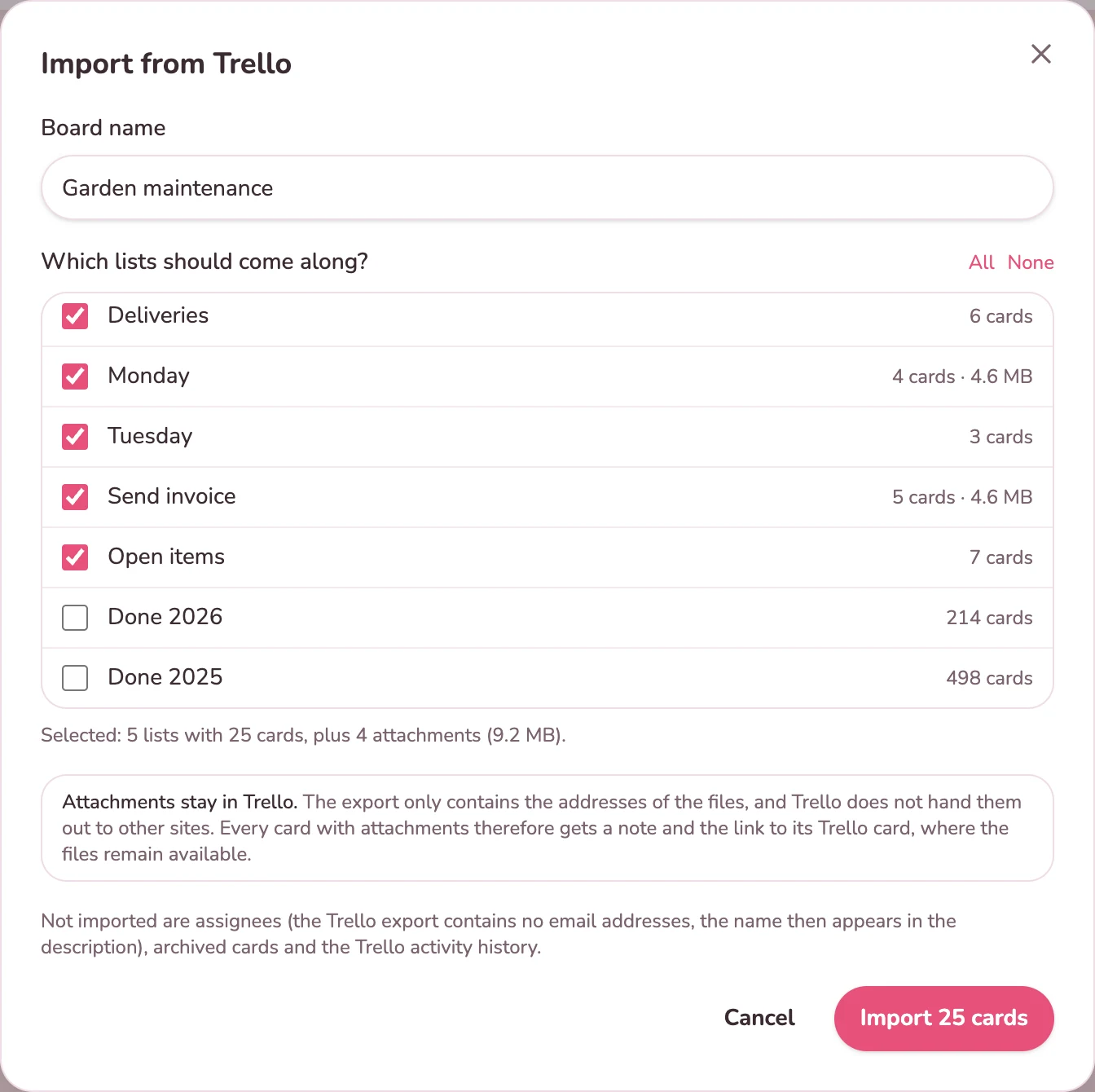
Yes, board by board via the JSON export. Lists become columns, cards become cards, along with description, due date, labels, checklists and comments. Attachments stay in Trello; every card concerned links to its Trello card.
Attachments, assignments, archived cards and the activity history. Trello does not include email addresses in the export, so the name of the assigned person is put in the card description. In addition, the export only contains the 1,000 most recent actions of a board.
Yes. The import creates a new board in Kanbalino and changes nothing in Trello. So you can try it out at your own pace.
Nothing at Kanbalino, in any plan. With Trello Standard and Premium, according to Atlassian, every guest who is on two or more boards of a workspace counts as a seat.
On our own server in the Nuremberg data centre. The daily backups are stored encrypted in the EU region. Details are under Security and data protection.
No. The free plan does not expire and needs no payment method. You pay for Premium by card or SEPA direct debit, and on request also by invoice.
Create an account and import a Trello board. No credit card and no trial that expires.