An open canvas for thinking: jot down cards, stick notes next to them, draw arrows. In the end it becomes a finished board.
A project rarely starts with a finished list. It starts with a meeting, a sheet of paper and the question of what actually belongs to it. A board, however, assumes that you already know the columns and tasks. So the draft takes shape on a whiteboard or in a second tool, and afterwards someone types it all in.
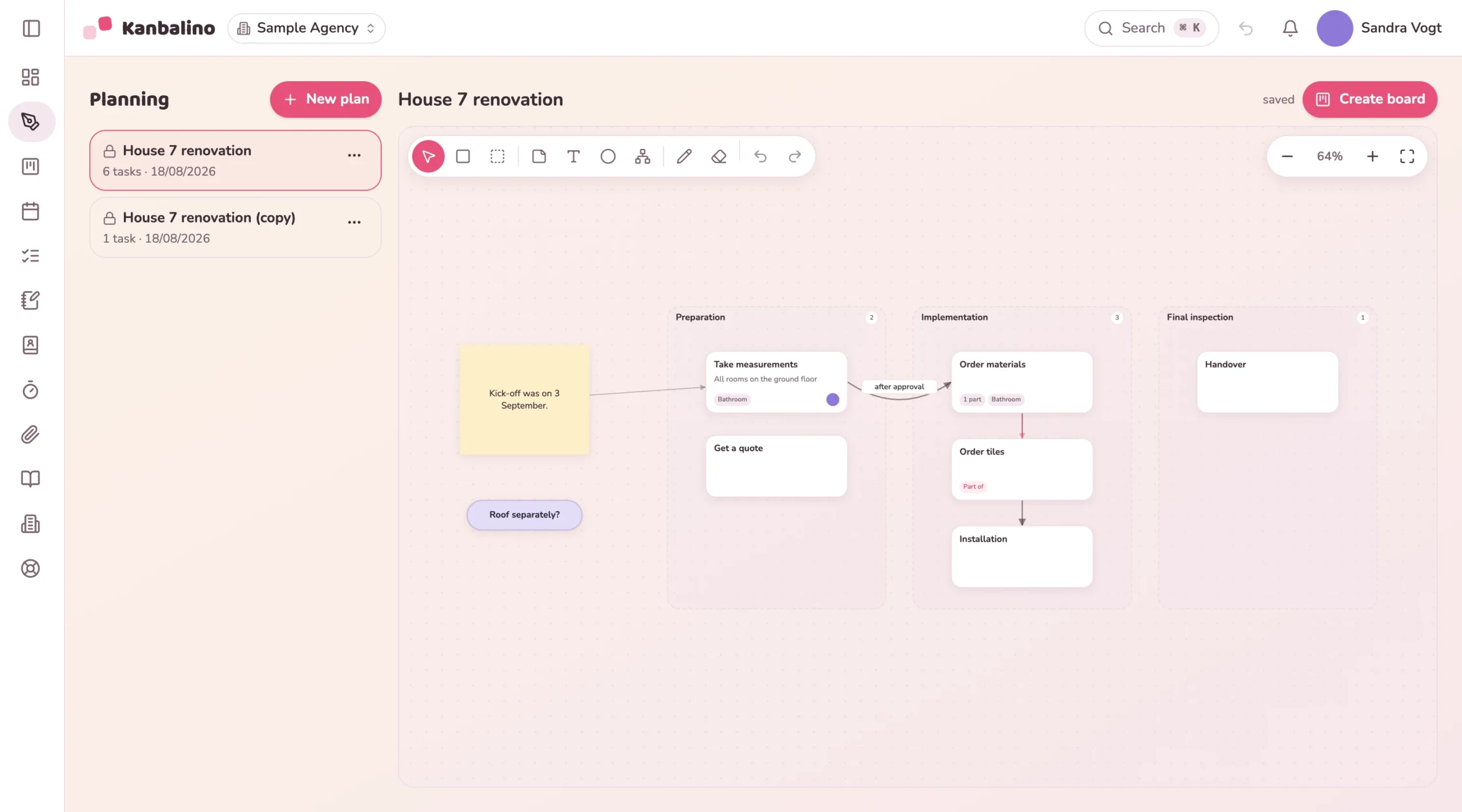
In Kanbalino the draft is part of the tool. On an unlimited canvas you add tasks, move them into areas, draw arrows for dependencies and hang subtasks below them. Next to them is the material for thinking: sticky notes, texts, shapes, keywords and everything you draw in by hand. One click on “Create board” turns it into a real board. Every area becomes a column, every card a task, every arrow a dependency. Assignees and labels are already in place.
Every area becomes a column, from left to right. Every task becomes a card, an arrow between two tasks becomes a dependency, and a task hung below another becomes a subtask. Assignees and labels come along.
Sticky notes, texts, shapes, keywords and everything drawn. The “Create board” dialog states in advance what comes along and what stays in the plan.
Project planning, Brainstorming, Mind map, Retrospective, SWOT, Pros and cons or a blank plan. A template is just a pre-filled plan, and everything in it can be changed.
No. The plan stays unchanged and points to the board. If you create a board again, another one is created. The first stays as it is.
Yes, with pen and eraser. On top of that there are shapes, texts and arrows, and an undo list for everything.
First sketch the course of a building site on the canvas. It becomes the board with columns, tasks and dependencies.
View
Think from the key date backwards: draft tasks and arrows on the canvas, and the arrows become dependencies on the board.
View
First arrange chapters and work steps freely on the canvas. One click turns them into the board that takes you to submission.
View
Create an account, sketch your project on the canvas and create the board from it. No credit card and no trial period that runs out.