
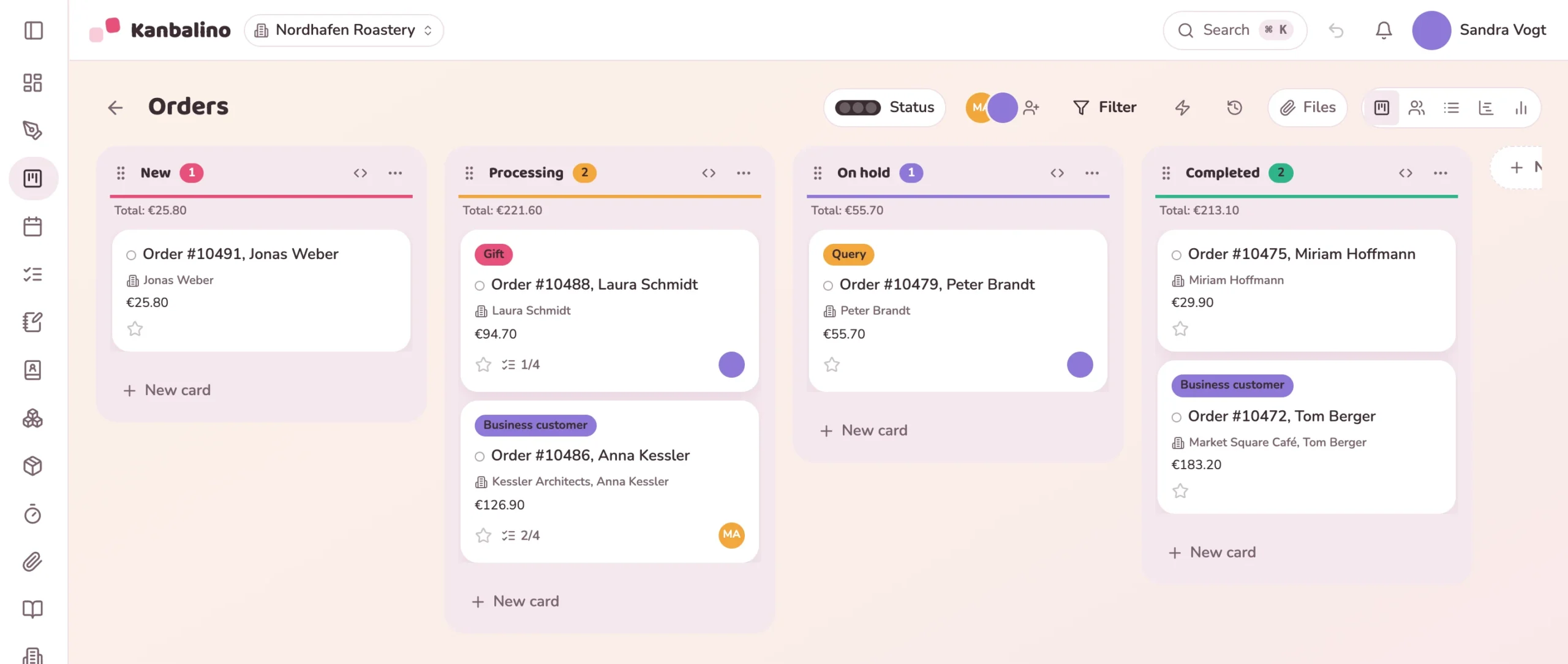
For online retailers: new WooCommerce orders appear by themselves as cards, with customer, line items and customer note. Your team packs, asks questions and writes to the customer in the same place, and the status in the shop follows the column.
billion euros was the turnover of online retail in Germany in 2025, 3.9% more than in the previous year.
of online retailers name customer service as a key burden.
of online shoppers experienced customer service that was hard to reach.
received their goods later than stated.
Sources: HDE (the German retail federation), Online Monitor 2026, calculated by IFH Köln, net turnover; Händlerbund (a German association of online retailers), Annual Study 2026, 335 online retailers surveyed; Verbraucherzentrale Bundesverband (the federation of German consumer organisations), Consumer Report 2025, forsa, 1,342 respondents with online purchases in the past two years.
The order is in the shop, the query in the mailbox, the packing list on paper. Anyone who is not looking at the WordPress admin area at that moment does not know what is open, and a note from the customer gets lost between two parcels.
If the customer asks, somebody looks for the order, the last email and the colleague who packed it.
The shop reports the order, and Kanbalino puts the card with customer, line items and customer note in the matching column.
The person responsible ticks off the packing list. If an item is missing, the team sorts it out in the comments.
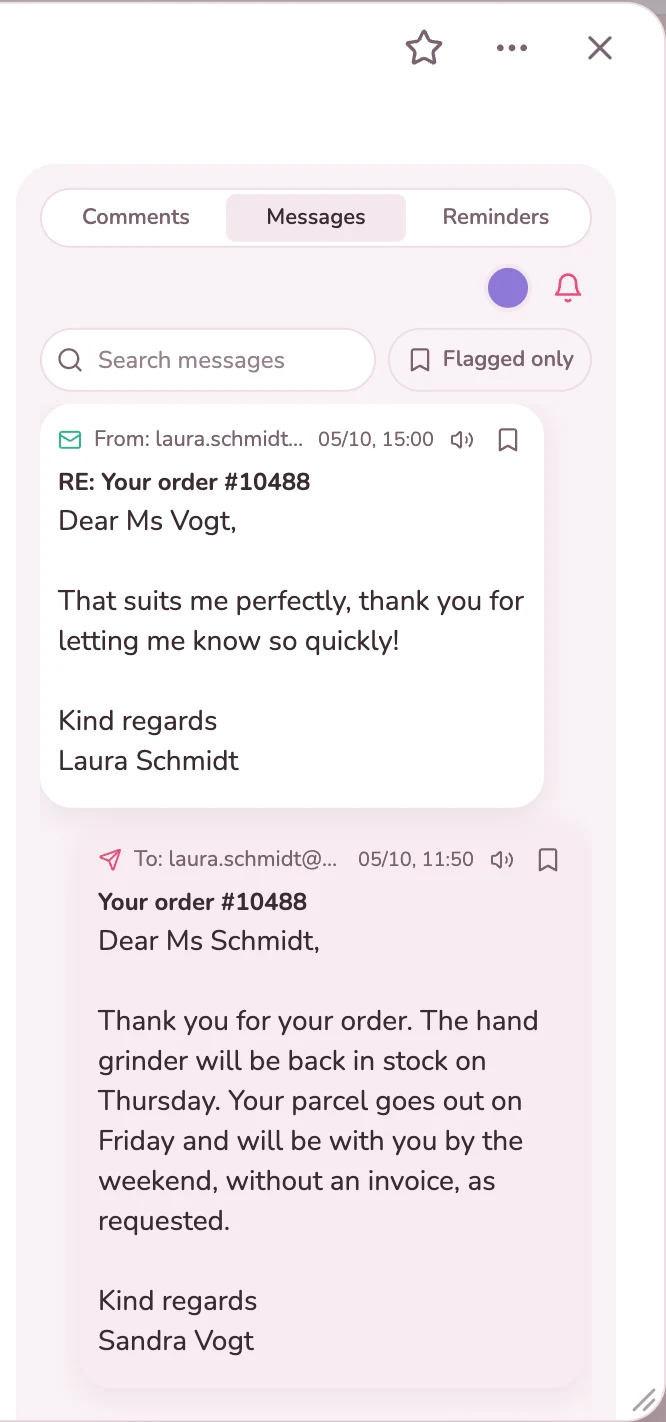
A query or a delay goes out as an email from the card. The reply comes back to the same card.
The card moves to “Completed”, and the status in the shop follows.
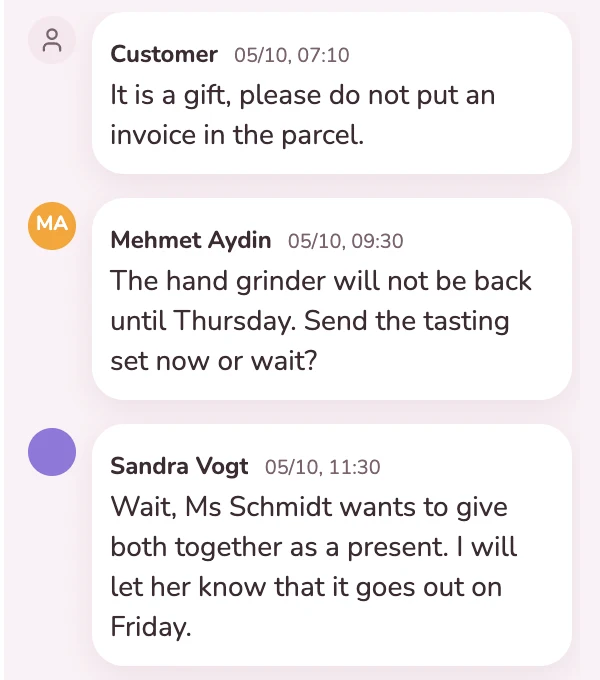
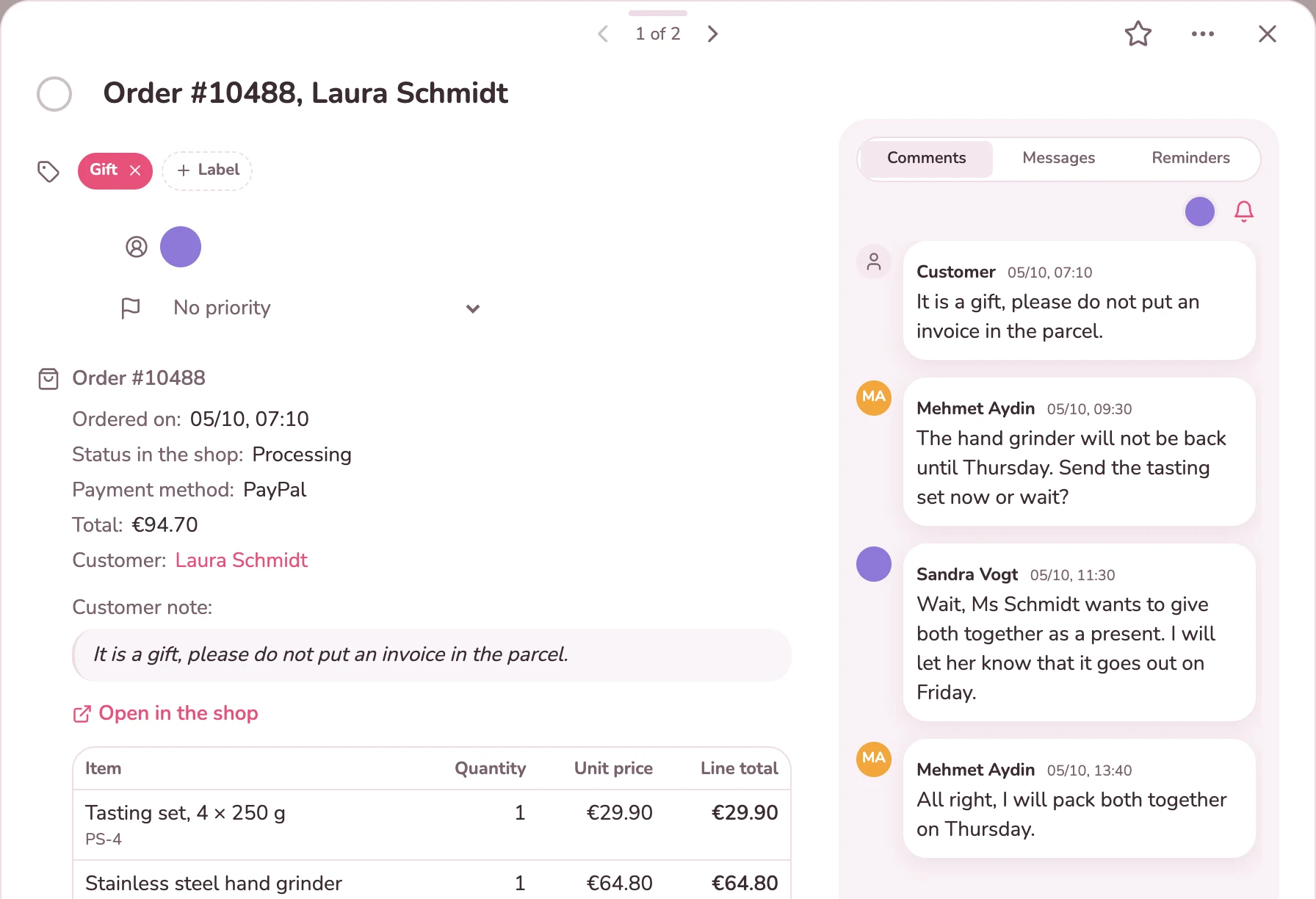
Order date, status in the shop, payment method, total and customer are at the top, with the line items and their item numbers below. The card shows the note from the order form highlighted and as the first comment. Below that the team coordinates, with name and time. A comment can be transferred to the shop as an order note.
In the “Messages” tab you write the customer an email straight from the card. If they reply, their email arrives on the same card, and everyone in the team sees where things stand. You set up frequent replies as text templates, and the customer’s name fills itself in.
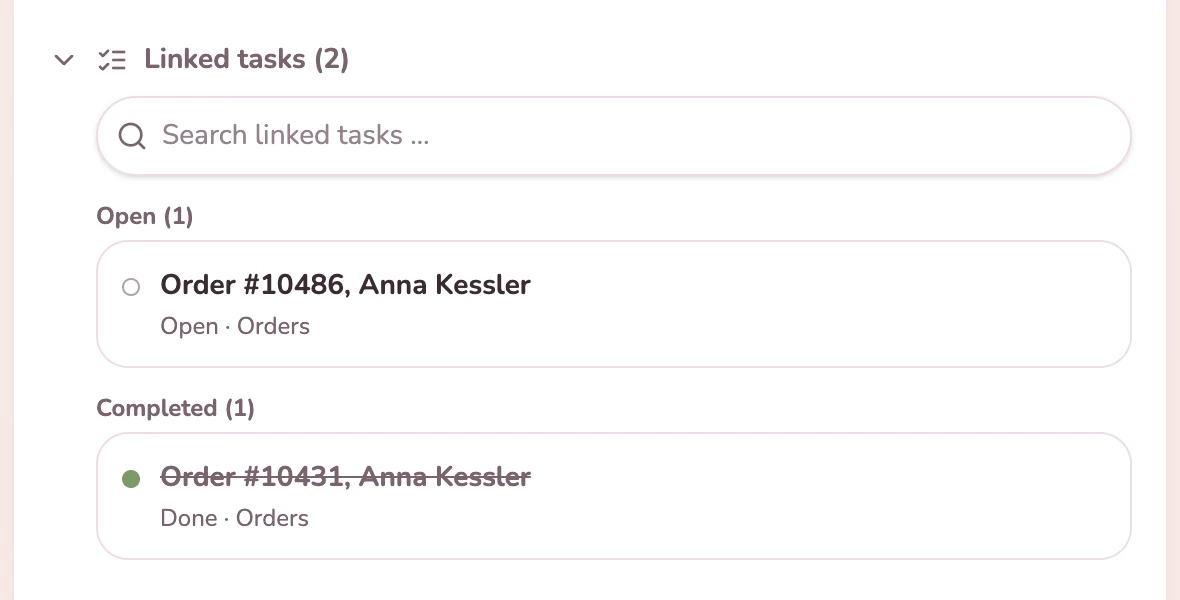
With every order the customer becomes a contact. If a company orders, Kanbalino creates the company and the person ordering and links the two, and a different delivery address becomes a further contact person. The contact shows all orders, the open ones at the top, the completed ones below.
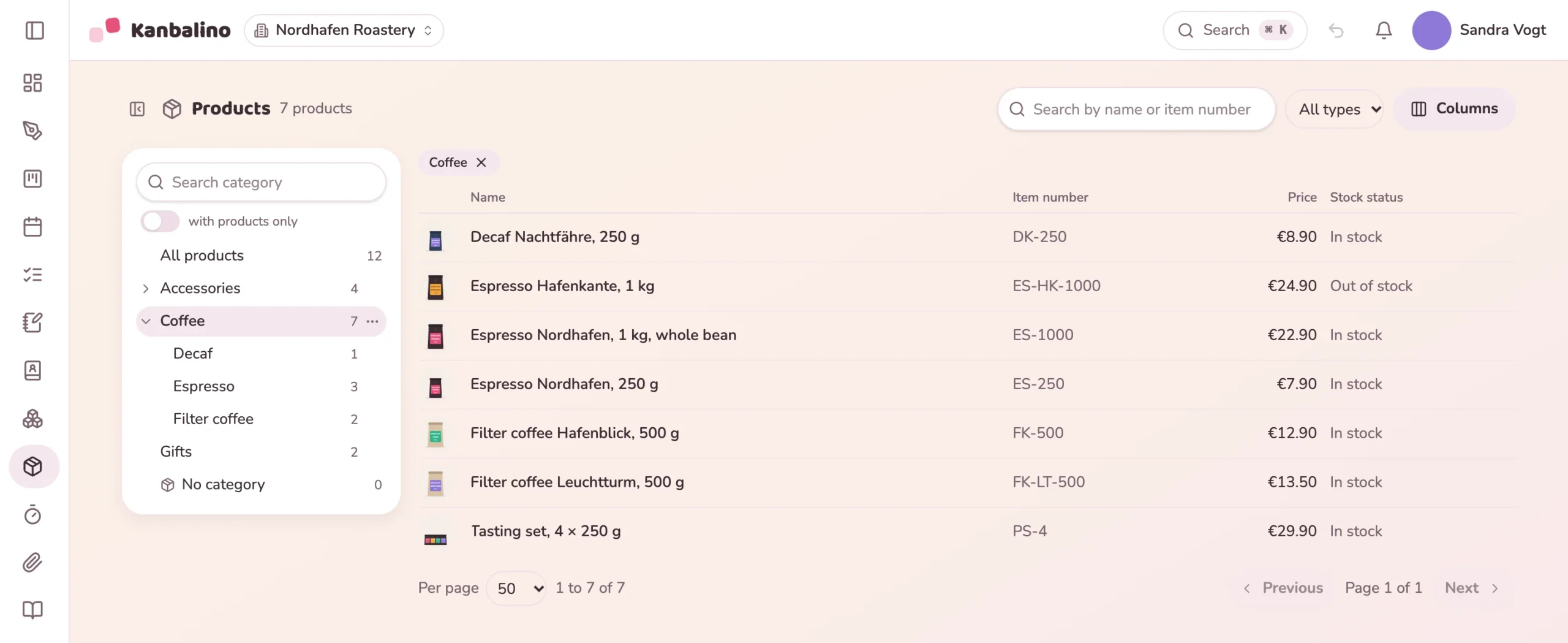
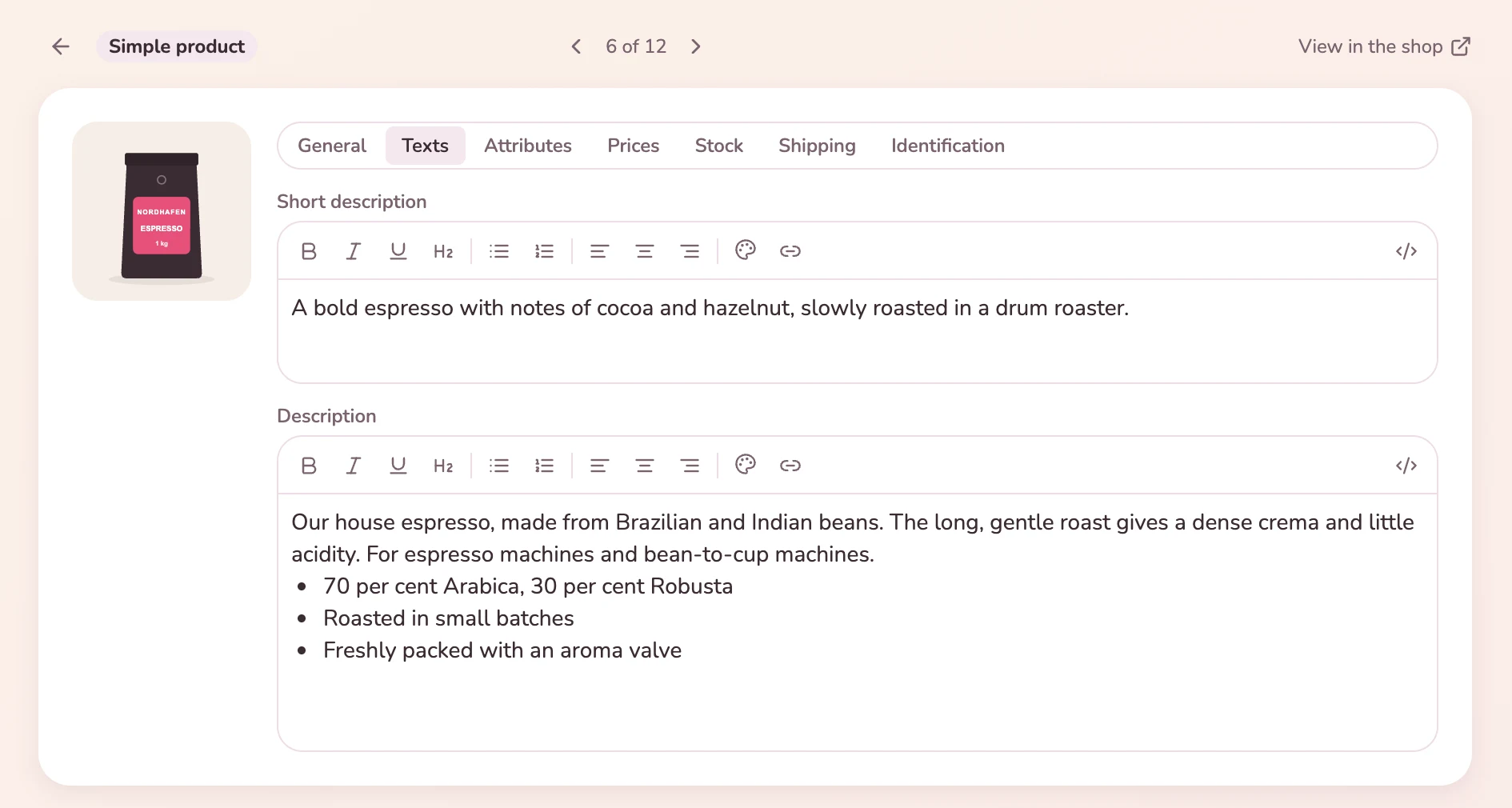
You view and edit the products of your shop in Kanbalino, with all the fields the shop knows, including those of your plugins. The shop’s category tree serves as navigation. With the PIM add-on every product gets a master record with categories, its own images and data sheets, and Kanbalino shows what is still missing for WooCommerce or Google Merchant. New products take shape on a board of their own, from the idea to release.
Every customer becomes a contact with all of their orders. You write emails to them on the card.
Learn more
The team settles questions about shipping as a comment on the order, with @Name instead of calling across the room.
Learn more
When an order moves to a particular column, a rule notifies someone or assigns the order to a person.
Learn more
Up to five people can use Kanbalino with up to three boards at no cost. The connection to WooCommerce costs €39 per month or €390 per year per shop, in every plan. Contacts and Sales, which it needs, are included in the free plan.
All amounts include VAT. If you need more boards or people, Premium starts at €4.95 per person and month, billed yearly; with Premium, Sales costs an extra €2.50 per person and month.
WooCommerce. Connections to further shop systems such as Shopify and Shopware will follow.
No. Kanbalino uses the interface that WooCommerce comes with. You create a REST key in the shop and enter it in Kanbalino.
Yes, from a date that you choose when connecting. After that, new orders arrive by themselves, and Kanbalino also syncs once a day.
Only if you allow it. To begin with, write protection is on, and Kanbalino only reads. If you lift it in Administration, moving a card sets the status in the shop, and comments can be transferred as order notes. For this the REST key needs the permission to write.
That will follow: you will then trigger the invoice, delivery note and shipping label right on the order card, and they are created by your shop and its plugins. Until then, “Open in the shop” leads from the card straight to the order.
No. Order cards and their line items do not count towards the 500 MB of the free plan. Files, messages and times on an order card count as they do everywhere.
Yes. Every shop gets its own connection with its own board and costs €39 per month each.
On our own server in Germany, in a data centre in Nuremberg. The orders and contacts from your shop are stored there too. Sign-in can be secured with a second factor for your team.
Create an account, switch on the shop connection in Administration and connect the shop. After that the orders appear as cards.