Time tracking in a separate program gets forgotten or is estimated in the evening. What comes out of that is of no use for invoicing or for planning.
How Kanbalino solves it
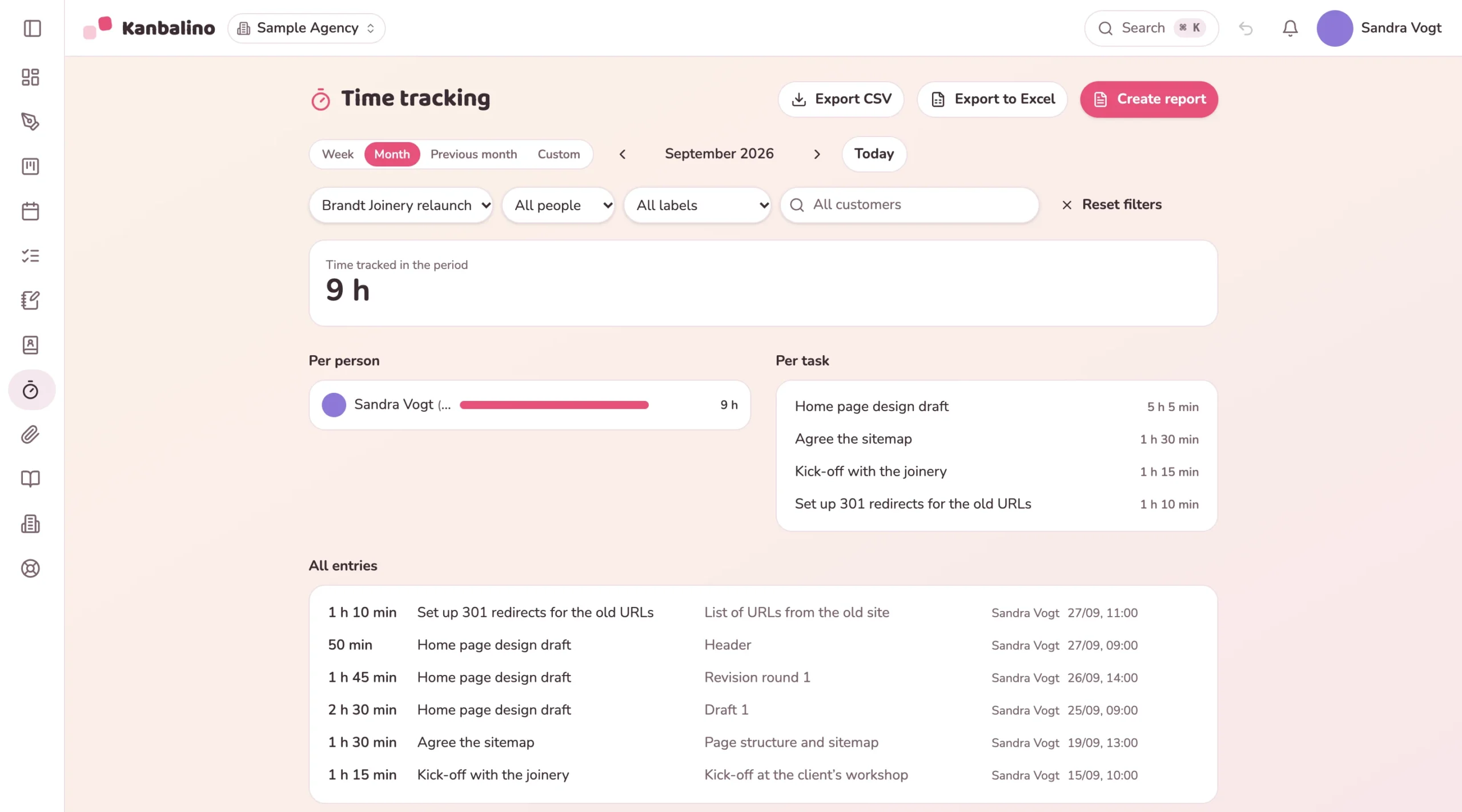
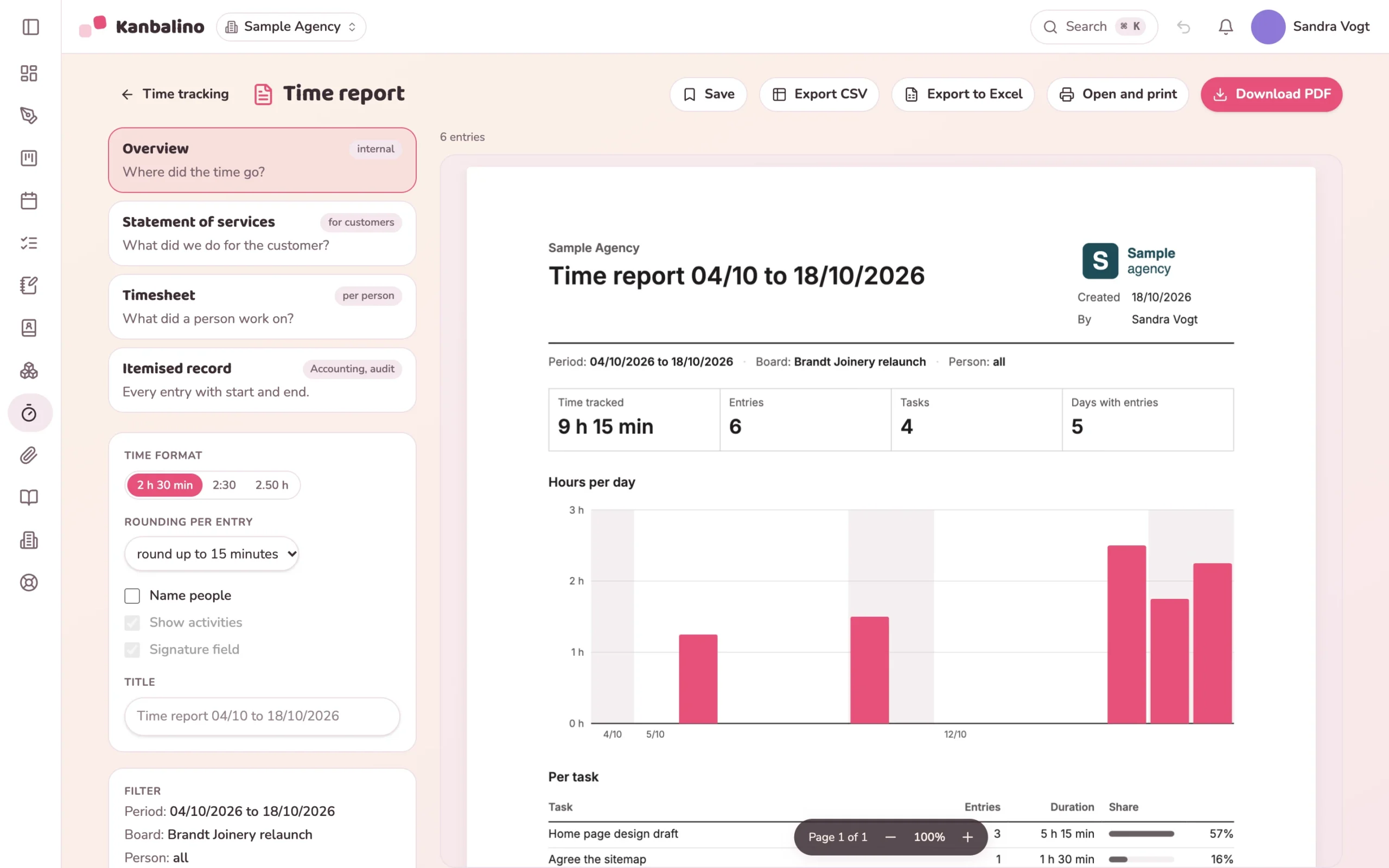
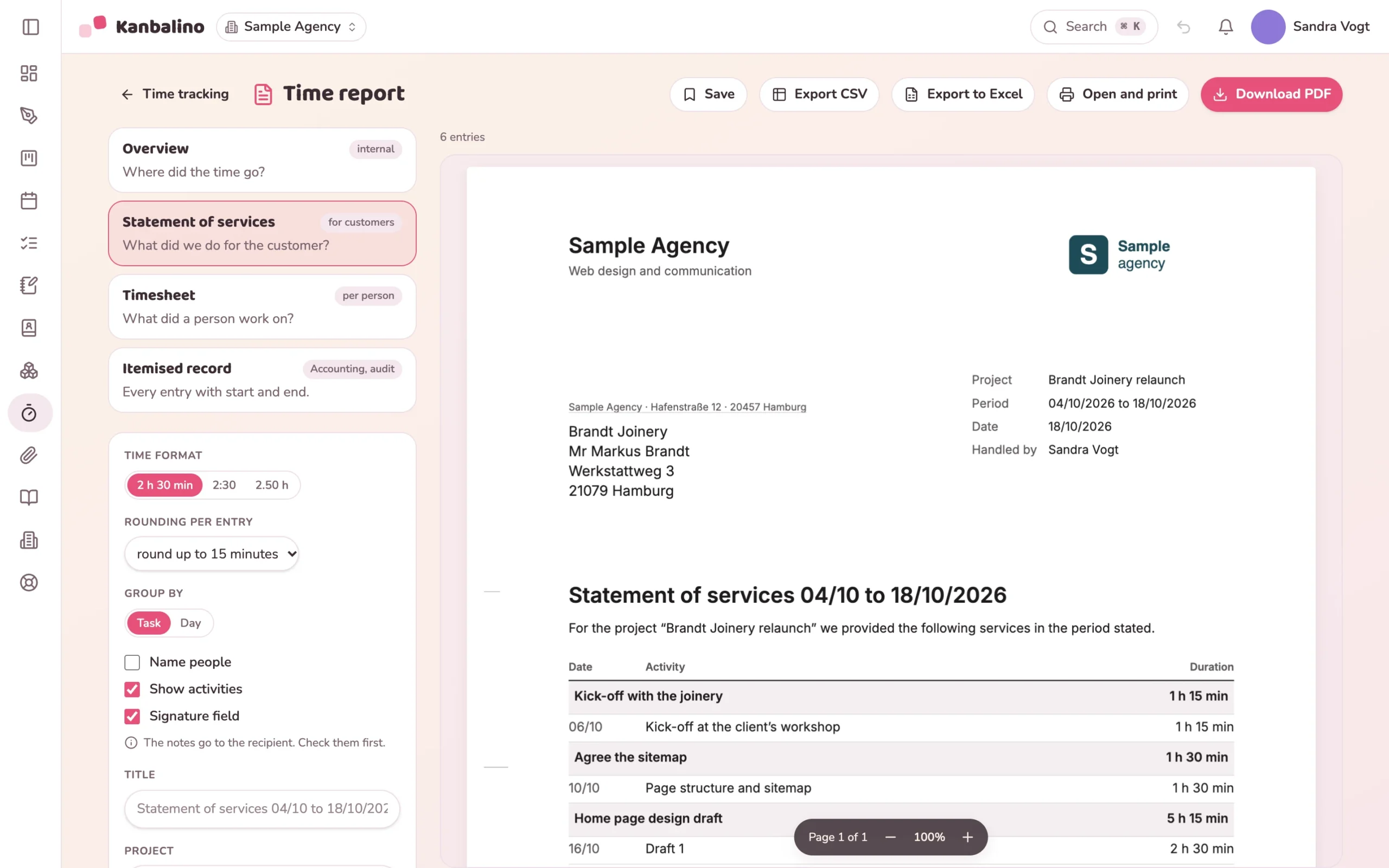
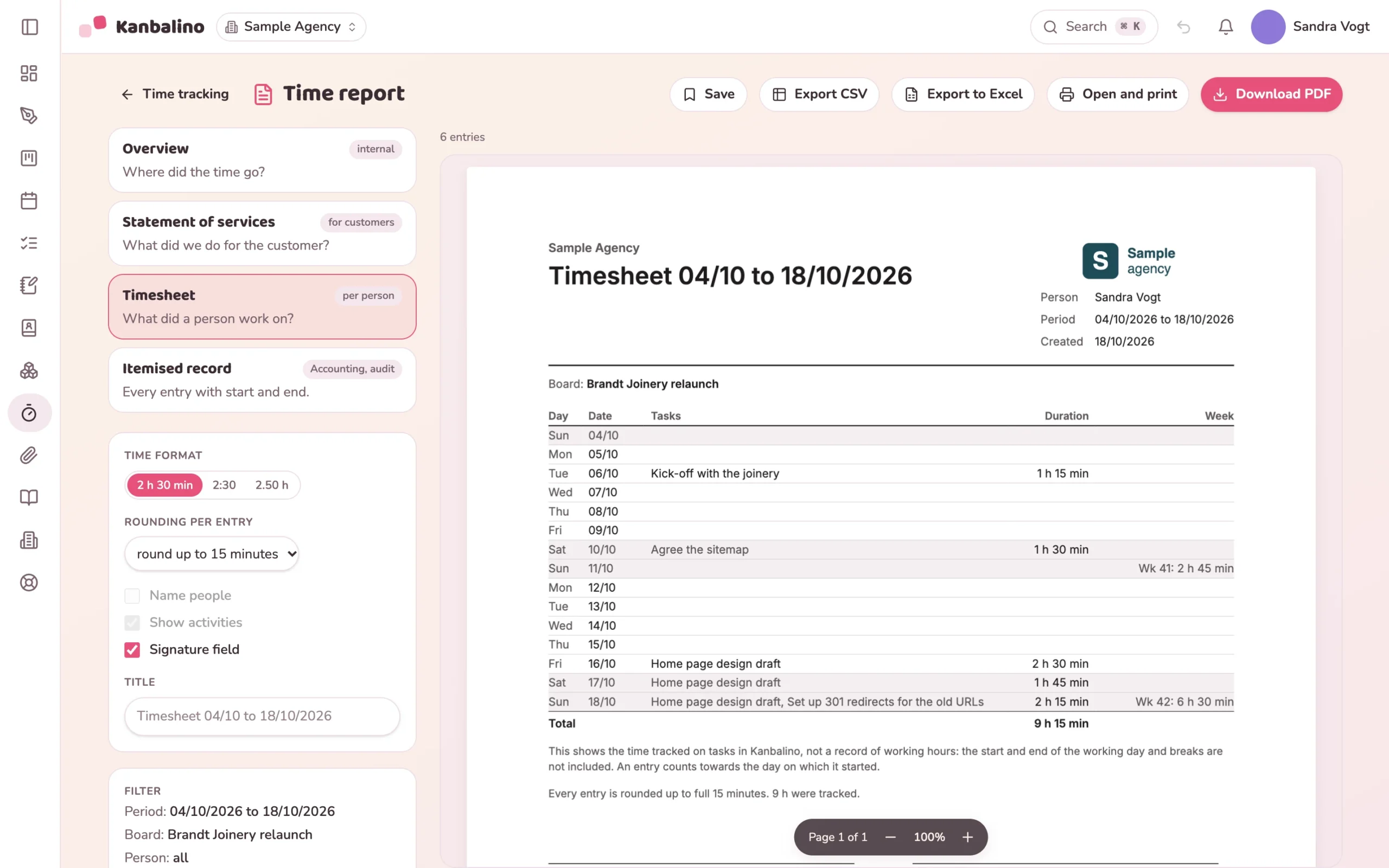
In Kanbalino you start the timer on the card you are working on. The running timer sits at the top in the header so that it is not forgotten. When you stop it, Kanbalino asks for a short note. You add forgotten time afterwards, as minutes (75), hours (1.25) or 1:15. At the end of the month the filtered entries become a PDF report: the overview for your internal use, the statement of services as a letter with your letterhead for the customer, the timesheet per person or the itemised record with start and end. Kanbalino produces the PDF itself.
Reports
Four reports from the same entries
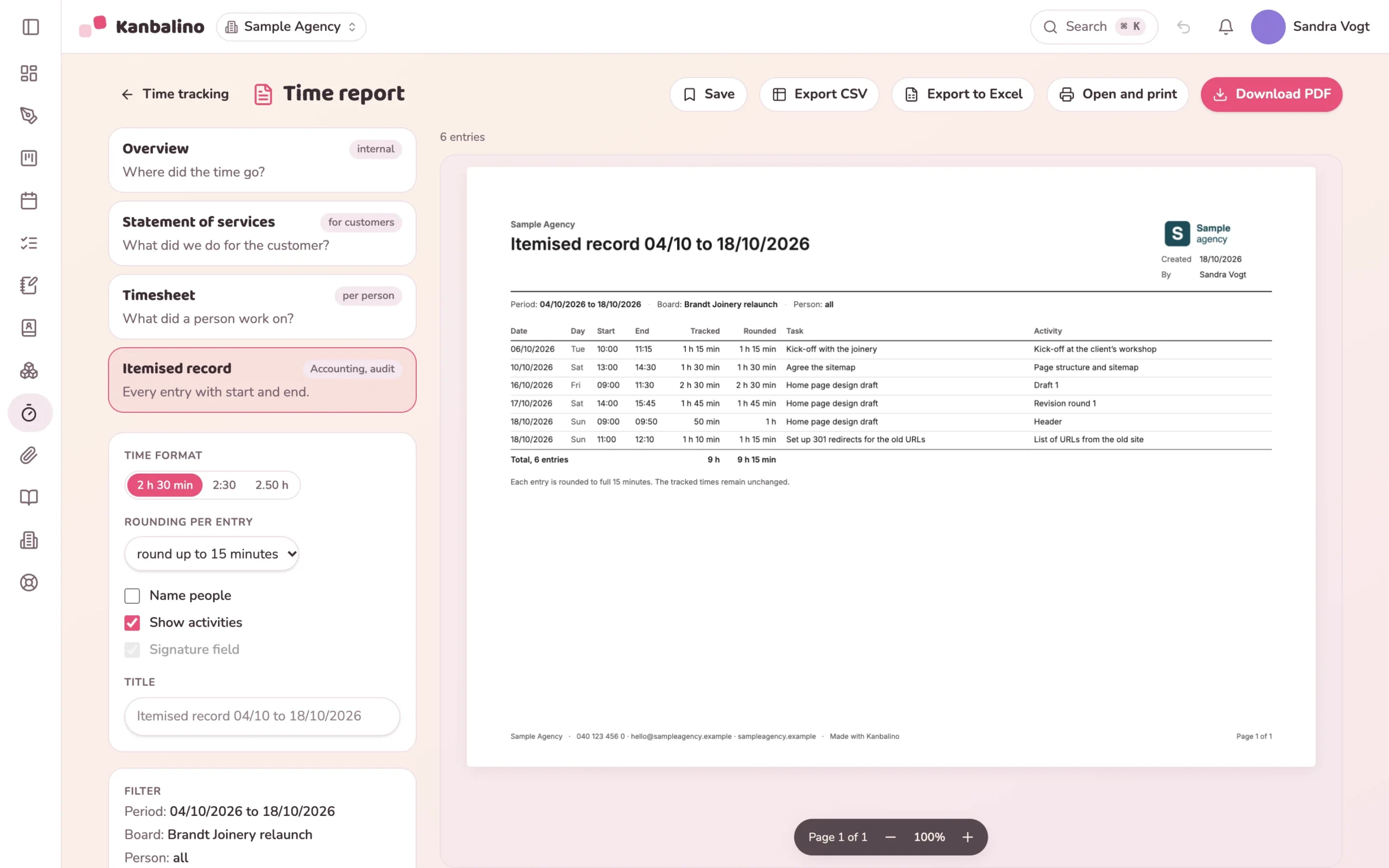
Filter, choose a report, download the PDF. Kanbalino produces the PDF itself, and a CSV file is available as well.
Filters by period, board, person, label and customer.
Four reports as PDF: overview, statement of services, timesheet, itemised record.
The statement of services is a letter with letterhead, logo and a field for both signatures.
Rounding to 5 or 15 minutes in the report only; the entries stay unchanged.
Plus export as a CSV or Excel file, and you save reports you need every month under a name.
Every entry carries a note, so that it is clear later what the time was for.
With the free Time budget add-on, every task gets an allocated time and every board a budget. The analysis shows what remains, also as an Excel file and PDF.
Frequently asked questions
Frequently asked questions about time tracking
How do I track time?
With “Start timer” on the card; the running timer then sits at the top in the header. You add forgotten time afterwards, as minutes (75), hours (1.25) or 1:15.
Which reports are there?
Four as PDF: overview, statement of services, timesheet and itemised record. On top of that there is export as a CSV or Excel file.
Does this replace the recording of working hours?
No. Kanbalino tracks time per task. It does not cover arriving, leaving and breaks per day, so it is not a record of working hours.
Is time rounded?
If you wish, to 5 or 15 minutes, but in the report only. The entries themselves stay unchanged.
What is the time budget?
A free add-on in every plan: every task gets an allocated time and every board a budget. The analysis shows what remains, also as an Excel file and PDF.